Boolean Search for LinkedIn: Operators, Templates, Pitfalls
The most popular advice about Boolean search for LinkedIn is also the reason many searches produce junk. Teams build a long list of possible titles with OR, paste it into the search bar, and then blame LinkedIn when the results are too broad. The core problem usually comes earlier: the query has no required concept, no clear field strategy, and no validation step.
LinkedIn supports Boolean search directly in its main search bar. The core operators are AND, OR, NOT, quotation marks for exact phrases, and parentheses for grouping, as confirmed in LinkedIn's Boolean search help documentation. The syntax is stable across LinkedIn's product family, but the search surface changes what the same string evaluates to.
Table of Contents
- Why Most LinkedIn Boolean Strings Underperform
- How Boolean Search Behaves Across LinkedIn Surfaces
- Ready-to-Use Boolean Strings for Sales Prospecting
- Ready-to-Use Boolean Strings for Recruiting and Sourcing
- Why a String That Works for One Seat Fails for Another
- Advanced Tactics, Myths, and Edge Cases Worth Knowing
- A Quick Reference and a Reusable Boolean Playbook
Why Most LinkedIn Boolean Strings Underperform
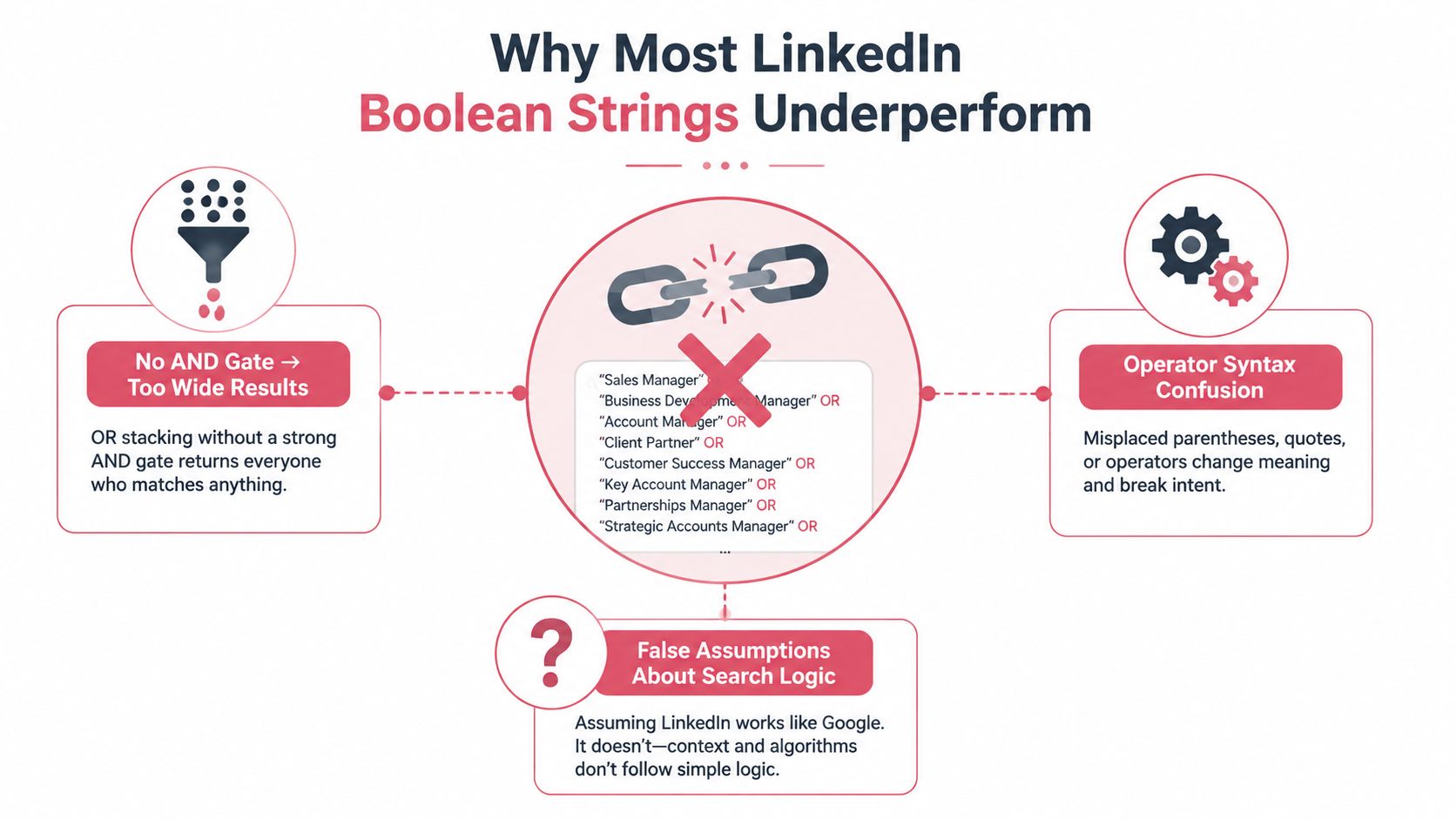
A long OR chain without an AND gate is the most common failure. This query:
"VP Sales" OR "Head of Sales" OR "Revenue Operations" OR "Sales Director"
doesn't define an ideal prospect. It asks LinkedIn to return anyone who matches any one of those phrases. That may be useful for exploration, but it isn't a finished sourcing or outbound query.
Use the operators for distinct jobs:
ORexpands coverage: Put title synonyms, spelling variations, or related skills inside a grouped clause.ANDcreates a requirement: Attach an industry, function, skill, or experience signal that every result should contain.NOTremoves known noise: Exclude assistants, interns, recruiters, consultants, or competitor terms only after checking that the exclusion won't remove good matches.- Quotation marks preserve phrases: Use
"Chief Revenue Officer"instead of leaving the words ungrouped. - Parentheses control logic: Write
("VP Sales" OR "Head of Sales") AND SaaS, not an ambiguous mixture of terms.
Deconstruct the query before adding more terms
Consider a 12 line string that returns 8,000 results. The length doesn't make it precise. A typical version contains a large title list connected with OR, several adjacent words that LinkedIn treats as an implicit AND, and no required industry or function term.
A phrase such as marketing manager can match profiles where those words appear anywhere, not necessarily in the person's current title. One word may appear in a headline, another in an older experience entry, and the result can still qualify. That creates the familiar title versus headline confusion.
The repair is straightforward:
("VP Marketing" OR "Head of Marketing" OR "Marketing Director") AND ("Demand Generation" OR "Lifecycle Marketing") AND SaaS NOT ("Recruiter" OR "Talent Acquisition")
The title group identifies the role. The second group adds a meaningful function. SaaS acts as a required context, while the exclusion removes a known adjacent department.
Practical rule: If every clause is optional, the query is a discovery list, not a qualified search.
LinkedIn's own documentation describes Boolean support in the main search bar and across products, while the documented history of targeting past experience on LinkedIn shows that practitioners have refined these techniques for more than a decade. The durable lesson is simple: Boolean isn't a trick for producing a clever looking string. It's a way to express a search decision clearly.
How Boolean Search Behaves Across LinkedIn Surfaces
The operators are broadly consistent, but free LinkedIn, Sales Navigator, and Recruiter aren't interchangeable search environments. The same text can behave differently because each surface applies the query to different fields, filters, and account constraints.
The free LinkedIn search bar is best for an ad hoc lookup or a quick network exploration. A keyword query generally searches across the profile rather than a clean title field, so "Marketing Manager" can match an older role or a description in the About section. It also offers less control over repeatable filtering and result review.
Sales Navigator is more useful for prospecting because Boolean can be combined with lead and account filters. The practical advantage isn't just more syntax. It's the ability to separate a title query from company, function, geography, seniority, and other structured criteria. A string placed in a Title filter has a different meaning from the same string placed in a general Keywords filter.
Recruiter is designed around candidate sourcing. Recruiters can use Boolean in the keyword workflow and combine it with structured candidate filters. Project organization and saved search workflows also change how a query gets reused by a team. The string remains important, but the surrounding search configuration becomes part of the query.
The platform's official help pages describe the same core operator set across LinkedIn products. Sales Navigator's Boolean guidance is particularly useful when a team needs to understand why a query behaves differently in a lead search than in the main LinkedIn search bar. The LinkedIn Recruit Boolean search PDF also confirms the central role of quotation marks and parentheses.
Comparison at a glance
| Surface | Full Boolean support | Result cap | Where string is evaluated |
|---|---|---|---|
| Free LinkedIn search | Core operators supported | Results are more constrained and less repeatable | Broad profile search and available search filters |
| Sales Navigator | Core operators supported in relevant lead and account search areas | Higher prospecting capacity than free search | Title, company, keywords, and structured lead or account filters |
| Recruiter | Core operators supported for sourcing workflows | Broad candidate search with Recruiter controls | Keyword and relevant recruiting search fields, plus structured candidate filters |
The table describes the operating model, not a promise that every account will show identical results. LinkedIn can change interface behavior, regional availability, and account limits. Teams should label every saved query with its surface, field, date, and filters.
A Boolean string is only portable when the team records where it was run.
Use free search for a one off lookup. Use Sales Navigator when a sales team needs repeatable lead discovery. Use Recruiter when the search is tied to a hiring project, candidate pipeline, or sourcing workflow. For sales teams building a repeatable process, LinkedIn Sales Navigator is a useful reference point for mapping strings to the right lead filters.
Ready-to-Use Boolean Strings for Sales Prospecting
Sales queries work best when they represent a buying audience, not just a department. Start with the buyer's role, add a business context, and exclude the adjacent jobs that create false positives.
ICP tightening
("VP Revenue Operations" OR "Head of Revenue Operations" OR "Revenue Operations Director") AND ("B2B SaaS" OR "Business Software") NOT ("Recruiter" OR "Talent Acquisition")
Use this in free search for an initial lookup. In Sales Navigator, place the title clause in the Title filter and move industry, geography, company size, and seniority into structured filters where possible. That separation makes the result easier to audit.
Outbound prospecting
("Chief Marketing Officer" OR "VP Marketing" OR "Head of Demand Generation") AND ("B2B SaaS" OR "Enterprise Software") NOT ("Agency" OR "Freelance" OR "Consultant")
This pattern is stronger than adding every possible marketing title. The required industry context helps distinguish a buyer inside a software company from a service provider who happens to mention the same terms.
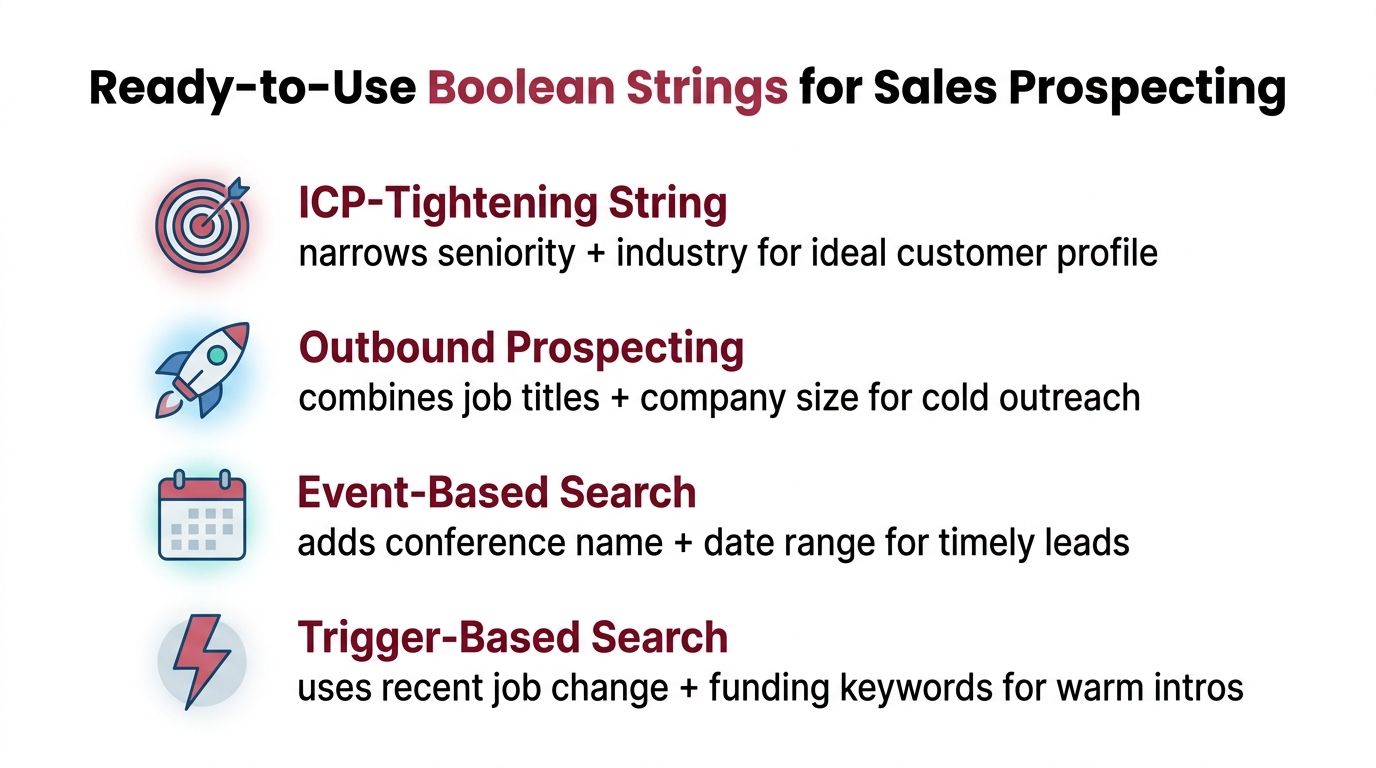
Trigger searches need filters, not inflated keyword lists
A trigger query can identify people whose profiles mention a relevant event or change:
("VP Sales" OR "Head of Sales" OR "Chief Revenue Officer") AND ("New in role" OR "joined" OR "promoted") NOT ("Recruiter" OR "Talent Acquisition")
Treat this as a starting point, not proof of a recent change. In Sales Navigator, pair it with the platform's recent job change or activity filters when available. Boolean finds language. Structured filters establish timing and audience.
Funding searches follow the same principle:
("Founder" OR "CEO" OR "Chief Revenue Officer") AND ("funding" OR "raised" OR "investment") AND ("SaaS" OR "B2B Software")
Keep event searches separate from evergreen ICP searches. A funding query and a role based query have different outreach angles, so combining them into one mega query makes both the list and the message less useful.
Teams that need to validate data quality before outreach can review LinkedIn vendor performance data as part of their vendor and workflow assessment. For the broader mechanics of building a prospecting motion, LinkedIn prospecting guidance can sit alongside the Boolean playbook.
Each saved search should have a matching message intent. A new revenue leader needs a transition relevant note. A demand generation leader needs a different reason to engage. Boolean improves who enters the list, but it doesn't decide why that person should reply.
Ready-to-Use Boolean Strings for Recruiting and Sourcing
Recruiting searches should prove more than keyword familiarity. A candidate may list a technology in a skills section without having used it in a meaningful role. Stronger strings combine title, function, and evidence of work, then leave seniority, location, and experience range to Recruiter's structured filters.
| Use Case | Boolean String | Watch Out For |
|---|---|---|
| Passive candidate sourcing | ("Staff Software Engineer" OR "Principal Software Engineer" OR "Lead Software Engineer") AND (React OR TypeScript) AND ("technical leadership" OR architecture) NOT (Recruiter OR "Talent Acquisition") |
A leadership phrase may appear in an old role. Check recent experience manually. |
| Silver medal search | ("Account Executive" OR "Enterprise Account Executive") AND ("SaaS" OR "B2B Software") NOT ("Company A" OR "Company B") |
Company exclusions can remove people who only mention a competitor in an older role. |
| Inclusive talent query | ("Product Designer" OR "UX Designer" OR "User Experience Designer") AND ("design systems" OR accessibility OR inclusive) NOT (Intern OR Junior) |
Inclusive terms are not a proxy for identity. Use them to find relevant work, never to infer personal characteristics. |
| Skill and experience combination | ("Data Engineer" OR "Analytics Engineer") AND (Python OR SQL) AND (Snowflake OR Databricks) AND ("built" OR "launched" OR "implemented") NOT (Intern OR Student) |
Verbs can inflate results because profiles often use broad project language. Review work history. |
What holds up in a live pipeline
For passive sourcing, title synonyms should stay close to the role. Adding every adjacent title creates inflated lists that look productive in a demonstration but waste recruiter review time. "Staff Software Engineer" and "Principal Software Engineer" may belong in one search. "Engineering Manager" usually belongs in a separate search unless the role accepts people managers.
Silver medal searches benefit from a company clause, but the company list should reflect actual talent movement or relevant experience. Don't exclude an entire category of employers just because the names sound competitive. Check whether the target is a current company filter, a former company filter, or a keyword mention.
Diversity focused sourcing needs careful boundaries. Search for inclusive design, accessibility work, employee resource group leadership, or community contribution when those experiences matter to the role. Don't use Boolean terms to guess protected characteristics from a profile.
The most reliable Recruiter workflow combines a focused keyword string with structured filters for location, seniority, experience, and availability. For outreach after human review, the warm outreach approach from Extrovert AI provides useful context on why a qualified match still needs a relevant, respectful message.
Why a String That Works for One Seat Fails for Another
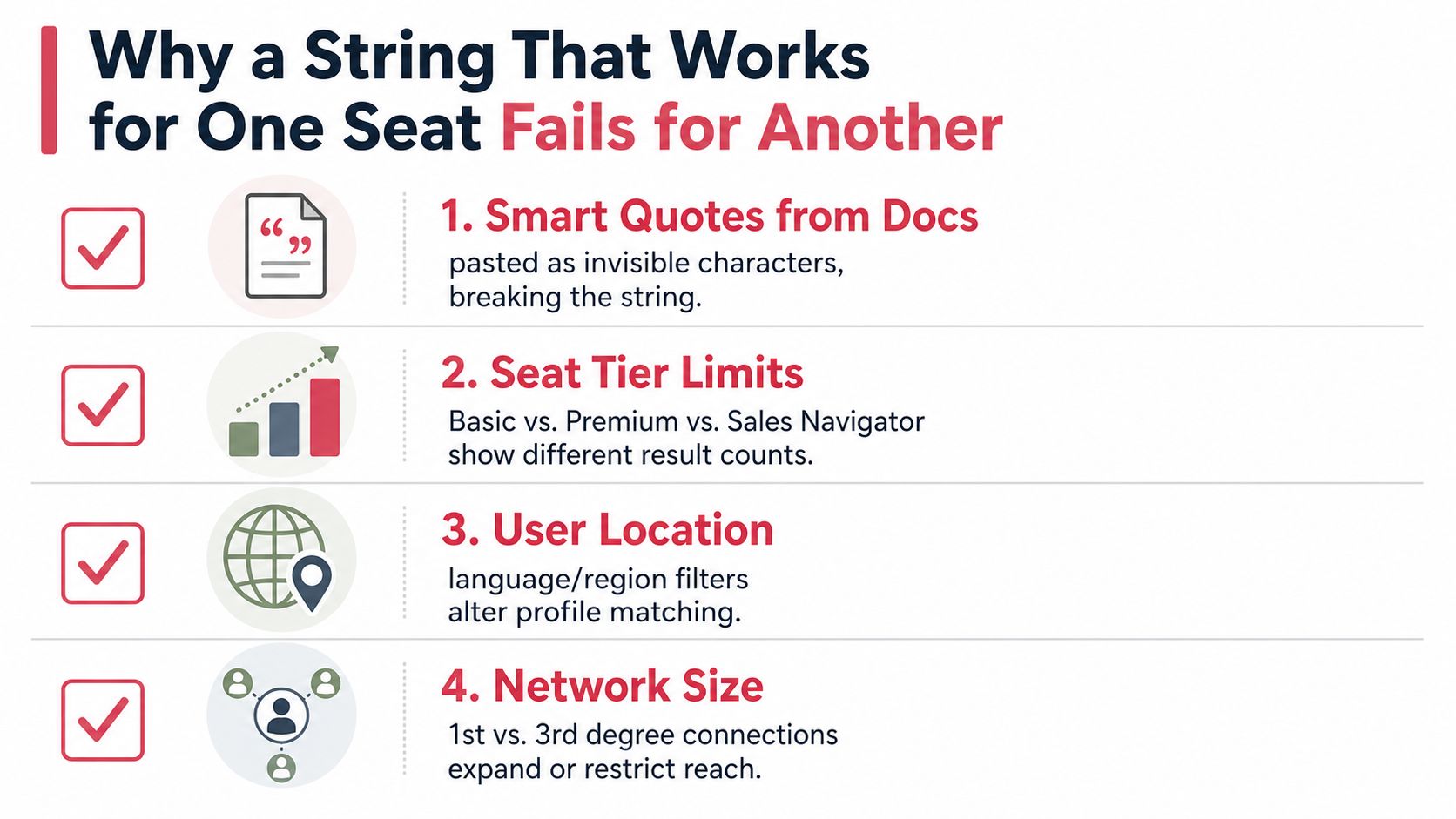
A query can be logically correct and still produce different results across seats. The failure often comes from the text being changed before LinkedIn evaluates it, or from the account applying the string to a different search field.
Smart quotes are a common culprit. A document editor may replace straight quotation marks with typographic quotes, and a copied string can then lose exact phrase behavior. The safest practice is to paste plain text into the search field and replace the quotes manually when a phrase behaves unexpectedly.
Operators also need disciplined casing. LinkedIn's documented core operators are uppercase AND, OR, and NOT. Lowercase words may be read as ordinary text or ignored, depending on the query context, so a shared playbook should always store operators in uppercase.
Harden every query before sharing it
Locale and account context matter as well. A title written in one language may not match an equivalent title in another market. Connection reach, profile completeness, available filters, and subscription capabilities can also change the visible result set.
A query that returns 80 profiles in one Recruiter seat may return 1,200 in another because the users are applying different filters, projects, locations, or network contexts. The number itself isn't evidence that one string is broken. It signals that the search configuration wasn't recorded.
Run this checklist before a query enters a team playbook:
- Retype phrase quotes: Use straight quotation marks and inspect every multi word title.
- Capitalise operators: Confirm every Boolean keyword is uppercase.
- Record the field: Note whether the string ran in Keywords, Title, Company, or the main search bar.
- Capture the configuration: Save location, seniority, company, connection, and other active filters.
- Test a small sample: Review the first 20 results and tighten the string if more than 3 are clearly wrong, following the refinement workflow described in this LinkedIn Boolean search guide.
Clipboard movement between Slack, Notion, email, and a browser can alter punctuation or whitespace. Teams should keep a plain text master version and a readable version with the intent documented beside it.
Advanced Tactics, Myths, and Edge Cases Worth Knowing
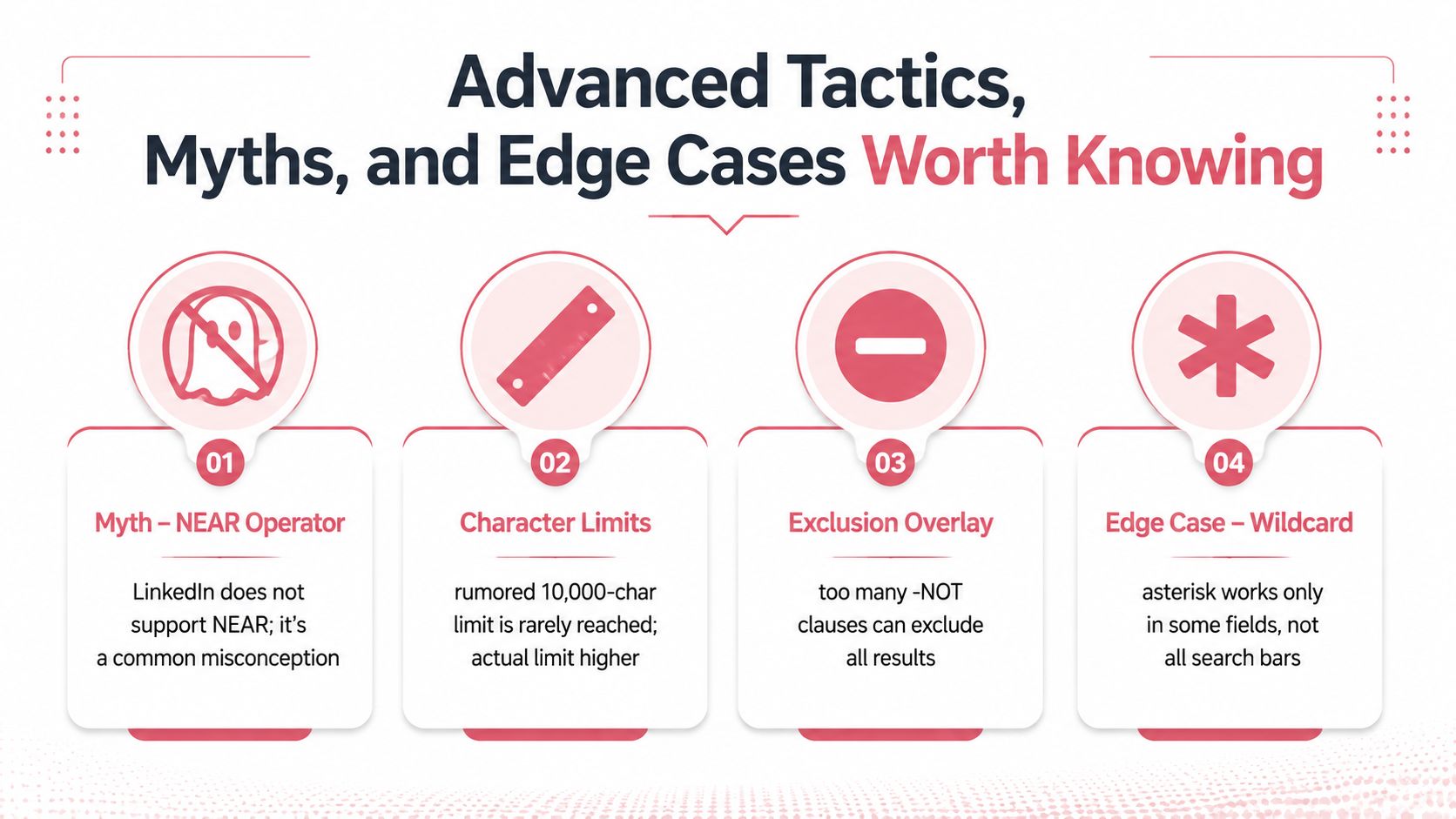
Boolean search rewards clear logic, not obscure syntax. LinkedIn's documented operator set is AND, OR, NOT, quotation marks, and parentheses. The historic practitioner use of NEAR doesn't make it a dependable current LinkedIn operator, so a query that relies on proximity behavior should be rebuilt with exact phrases, explicit alternatives, or structured filters.
The same caution applies to wildcard assumptions. Don't build a search around an asterisk and assume it will expand a word family. Spell out the variants that matter:
(Manager OR Management OR Managing)
This is less elegant, but it makes the intended coverage visible and easier to test.
Prefer a clean query to a clever one
A clean 12 line query usually beats a clever 60 line query because every added clause creates another way for LinkedIn to interpret, ignore, or over broaden the search. A practical before and after looks like this.
Noisy version
("VP" OR "Vice President" OR "Head" OR "Chief" OR "Director" OR "Senior Director") AND (Marketing OR Growth OR Demand OR Revenue OR Brand) AND (SaaS OR Software OR Technology OR Internet) NOT (Junior OR Assistant OR Intern OR Consultant OR Agency OR Freelance)
Operational version
("VP Marketing" OR "Head of Marketing" OR "Chief Marketing Officer") AND ("Demand Generation" OR "Lifecycle Marketing") AND SaaS NOT (Agency OR Freelance)
The second query makes a narrower business decision. If it misses a genuine title variation, add that variation after reviewing the first results. Don't preemptively list every possible synonym.
Non English titles create another edge case. A global search may need separate strings for local title variants rather than one huge multilingual query. Sales Navigator's structured filters can also be preferable when the ambiguity comes from geography, company, or function rather than wording.
Use Boolean when the distinction is lexical. Use saved searches and structured filters when the distinction is operational. Teams reviewing automation should also understand LinkedIn automation limits and rules before turning a search workflow into an automated action.
A Quick Reference and a Reusable Boolean Playbook
A reusable playbook maps each operator to one decision. It shouldn't be a warehouse of giant strings that nobody can explain.
| Operator | Syntax | Behavior Across Surfaces | Common Use |
|---|---|---|---|
| AND | A AND B |
Requires both concepts where the field supports Boolean | Add a required skill, industry, or function |
| OR | A OR B |
Matches alternatives within the evaluated search field | Capture title or terminology variations |
| NOT | A NOT B |
Removes profiles containing the excluded concept | Remove a specific source of noise |
| Quotes | "exact phrase" |
Keeps a multi word concept together | Search a title, product, or named skill |
| Parentheses | (A OR B) AND C |
Groups logic before combining clauses | Keep complex title and skill blocks readable |
Field specific filters such as title:, company:, and location: shouldn't be assumed to behave identically across every LinkedIn surface. When a product exposes a dedicated filter, use that filter rather than forcing the field distinction into a broad keyword string.
Five rules for a team asset
- Name the intent: Write “senior demand generation buyers in SaaS,” not “query 04.”
- Version the string: Store the exact text, edits, owner, and approval date in a shared document.
- Label the surface: Mark the query as free LinkedIn, Sales Navigator, or Recruiter.
- Record the capture context: Note the visible result count and active filters when the query was tested.
- Refresh on a fixed cadence: Recheck title variations, exclusions, and relevance before the next campaign or hiring cycle.
Test every new template in the lowest cost seat available before promoting it across the team. If it only works when one operator knows the hidden filters, it isn't a playbook. It's a personal shortcut.
Yalc helps GTM teams turn validated LinkedIn search logic into repeatable prospecting, enrichment, scoring, and outreach plays, while keeping your data, credentials, approvals, and audit trail under your control. Visit Yalc to see how a unified GTM operating system can connect Boolean driven discovery with the rest of your revenue workflow.