Cold LinkedIn Message Template Examples That Get Replies
Most cold LinkedIn messages don't fail because the template needs a cleverer opening. They fail because the sender chose the wrong person, had no credible reason to reach out, or kept following up after the prospect showed no interest. The useful question isn't only what to write. It's whether this person should receive a message at all.
A strong cold LinkedIn message template starts with that decision, then uses a verifiable signal, one clear point, and a simple question. Each touch also needs a stop rule. Without one, even good copy turns into unwanted persistence.
Table of Contents
- Five Cold LinkedIn Message Templates by Stage
- When Not to Send a Cold LinkedIn Message
- Personalization Signals Ranked From Safest to Riskiest
- How to Write a Trigger Message in Five Steps
- Sending Cadence for a Five Touch Sequence
- Handle Replies Before the Sequence Ends
- A/B Tests That Show Which Template Wins
- Confirm the Test Before Your Next Send
Five Cold LinkedIn Message Templates by Stage
| Stage | Character target | Job of the message | Example |
|---|---|---|---|
| Connection request | Under 200 characters | Earn acceptance with one reason to connect | Saw [trigger] at your team. We help [role] teams cut manual prospect research. Open to comparing notes? |
| First message after accept | 200 to 400 characters | Name the trigger and ask one diagnostic question | Noticed [company] just opened a second region. [Role] leaders there can lose time when account research, enrichment, and handoff sit in separate tools. Is that a priority this quarter? |
| Follow up one, day 5 | Under 150 characters | Add one new fact or proof point | A short example: [similar team] centralized account prep. Worth a look, or is this off track? |
| Follow up two, day 10 | Under 120 characters | Offer a useful resource without asking for time | I made a checklist for [role] teams handing warm accounts to SDRs. Want me to send it? |
| Breakup, day 14 | Under 100 characters | Close the loop and leave the door open | I'll close the loop here. If [problem] becomes a priority, happy to reconnect. |
LinkedIn limits personalized invitation messages to 200 characters and allows personalization on only a small number of monthly connection requests, according to LinkedIn's invitation message guidance. Treat the invitation as a brief reason to connect, not a place to explain the product. Save detailed proof and meeting logistics for after acceptance.
For the first message, 200 to 400 characters is a useful working range, not a proven rule for every LinkedIn direct message. LinkedIn's hiring guidance reports that InMails in that range were 16 percent more likely to receive a response. The space can hold a trigger, a role related observation, a credibility line, and one question, but not a product brochure. The finding applies to InMail, so don't assume the same result for connection notes or other message types. See LinkedIn's InMail guidance.
Edit the brackets, not the logic
Replace [trigger] with a specific, current event and [role] with the recipient's actual responsibility. Keep the rest of the structure stable so the message still moves from context to relevance to a low pressure question. Don't leave a bracket in a message just because the CRM has a field for it.
Each follow up should add something the prospect hasn't already seen, such as a useful example, proof point, or resource. Repeating the same meeting ask with new wording isn't new context. To make the message easier to scan on a phone, use the advice in this guide to structure emails for easy reading.
Before sending, check the character count against the target in the table. Then hold the wording steady for a full test cycle. If the opener, ask, and cadence all change at once, the results won't tell the team what worked.
When Not to Send a Cold LinkedIn Message
Sending a message to every name on a list is not a prospecting strategy. The reported 2026 benchmarks in Valley's LinkedIn outreach analysis put generic template campaigns at 1 to 3 percent replies, personalized cold outreach at 5 to 10 percent, and warm outreach to people who viewed a profile or engaged with content at 15 to 45 percent. Those figures are directional, but the practical implication is clear: check the evidence before writing the copy.
Use this no send checklist:
- No ICP fit: Disqualify the account instead of trying to rescue a poor match with clever wording.
- No verifiable trigger: Follow the prospect or wait for a relevant post, role change, or company development.
- No credible reason to be recognized: Engage with a relevant post first, or wait until there's a genuine point of connection.
- List too large for personal messages: Narrow the segment. In the same reported benchmarks, campaigns aimed at 50 or fewer recipients generated 5.8 percent replies, compared with 2.1 percent for campaigns aimed at more than 1,000.
Record skipped accounts and the reason each one failed the checklist. Over time, the log shows whether the pipeline lacks useful triggers, whether the ICP definition is too loose, or whether the team is trying to scale a message before it has earned the right to scale. It also prevents a rep from repeatedly reconsidering the same weak prospect.
A team can use this guide to LinkedIn outreach mistakes to spot common process failures, but the send decision still comes down to evidence. Before each message, ask: What justifies contacting this person, and what should happen when that evidence doesn't exist?
Personalization Signals Ranked From Safest to Riskiest
| Tier | Signal | Example | Use rule |
|---|---|---|---|
| 1 | First party interaction | Recipient commented on or viewed your content | Safe to reference with the date |
| 2 | Recent business change | Funding round, product launch, or new role | Cite the source and date |
| 3 | Role or company context | Team size, hiring pattern, or tech stack | Phrase it as a question, not a claim |
| 4 | Inferred personal traits | Guessed interests or life events | Do not use |
A first name is a greeting, not a reason to contact someone. A company name is useful only when it leads to a relevant, credible connection between the recipient's current situation and the problem being discussed.
Make the signal auditable
Use the uncertainty rule: don't mention a claim unless the source and date are known. A recent public post is safer than a guess about the person's priorities. Company context can still help, but phrase an inference as a question: “Is the new hiring push putting pressure on account research?” is less presumptuous than claiming it is.
A 2026 comparison in a LinkedIn article on cold message strategy reports about 9 percent replies for generic messages versus 18 percent for personalization tied to a prospect's company, role, and situation. The same article reports an 18 percent reply lift for messages referencing a recent post, role change, or comparable live signal. These are reported comparisons, not guarantees for an individual campaign.
More personalization isn't automatically better. Expandi's LinkedIn outreach dataset reported that AI hyperpersonalized campaigns had 12 percent lower acceptance than human written templates, while reply rates remained flat. Use automation to find signals, draft options, and keep records. A person should check factual accuracy, tone, and sensitive claims before anything is sent.
For Yalc, every message written by its agents starts from the customer's own CRM, calls, and won deals. That gives the draft a grounded starting point, but it doesn't remove the need to verify the recipient specific signal.
How to Write a Trigger Message in Five Steps
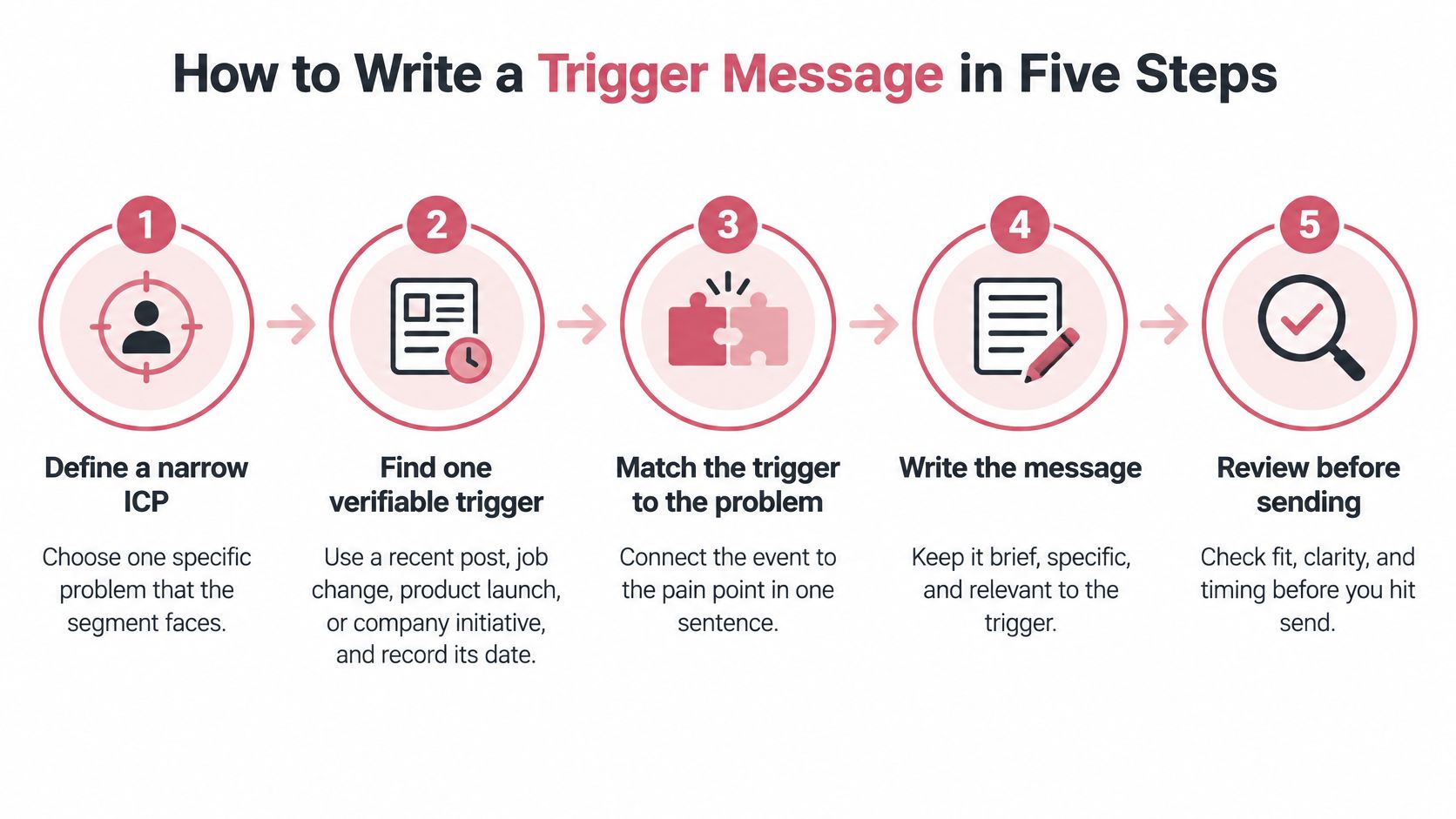
A trigger message has five moving parts, and each one works as a gate. If a step can't be completed with something verifiable, the message doesn't go out. Write them in order.
Define a narrow ICP and one problem. Choose a segment with a shared role and a specific workflow issue, such as account research slowing down regional expansion. A broad audience forces the message into generic language, and generic copy is what gets a send skipped.
Find one verifiable trigger. Use a recent post, job change, product launch, or company initiative, and record where it came from and when it happened. If you can't date the event, hold the message. A stale trigger weakens the entire reason for reaching out.
Connect the trigger to a likely consequence. Put the link between event and problem in one sentence. State the consequence as a possibility, not a fact, unless the source proves it. "Expansion can strain account handoffs" reads honest; "your team is struggling with handoffs" reads as a guess about someone else's workload.
Offer one relevant insight or proof point. Keep the proof narrow and credible. A specific observation gives the message substance; a pile of claims, links, and benefits makes it read like a pitch. If you can't name the proof in a single clause, you don't have it yet.
Close with a low friction question. Ask about the process or priority, not for a meeting. A diagnostic question gives the recipient an easy way to clarify whether the issue exists, and a "no" costs them one word.
Keep the full message in the 200 to 400 character range. That's enough room for one trigger, one consequence, and one question, and short enough to read in a single glance on a phone. Going longer usually means the proof point is doing a pitch's job. For the wording itself, these persuasive writing strategies for marketers help make one point cleanly without stacking extra claims.
Worked example
Say a RevOps leader's company recently announced a second region. The trigger is public and current, but the announcement alone doesn't prove the team has a handoff problem. The message should show that distinction.
- Step 1: Segment: RevOps leaders at companies expanding into a new region.
- Step 2: Trigger: The company announced the expansion.
- Step 3: Likely consequence: New regions can make research and handoffs harder to coordinate.
- Step 4: Credibility: The sender has helped teams centralize account preparation.
- Step 5: Question: Ask whether improving the workflow is a priority.
Worked message: "Noticed [company] is expanding into [region]. RevOps teams can find account research and handoffs harder to coordinate as a new region opens. We've helped teams centralize that preparation. Is improving that workflow a priority this quarter?"
That draft runs about 240 characters, inside the working range. Read the message aloud, count the characters, and confirm the trigger can be verified through a public record or first party interaction. If any sentence sounds like an assumption dressed up as a fact, rewrite it as a question. If the trigger can't be checked at all, the message stays in drafts.
Sending Cadence for a Five Touch Sequence
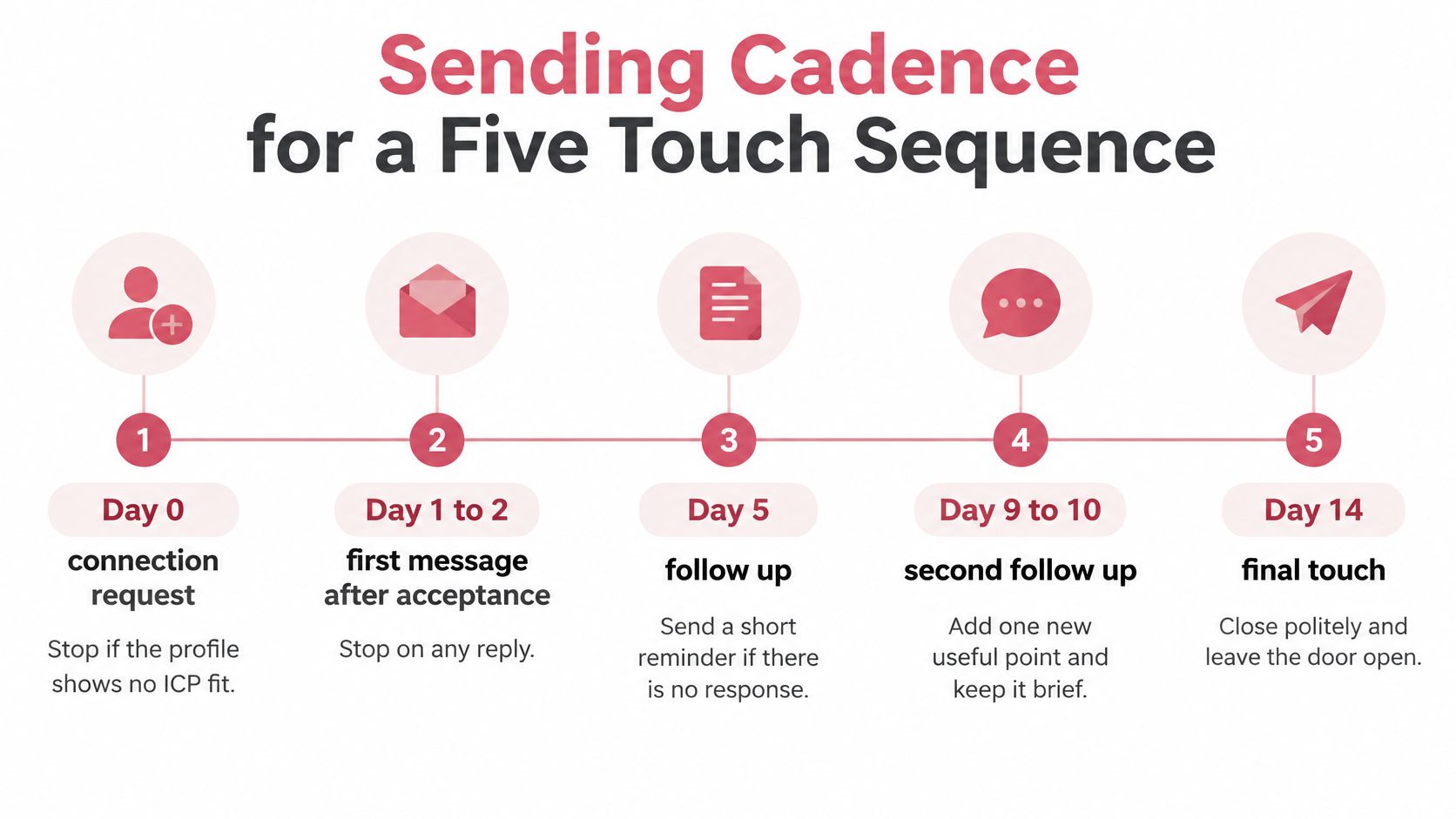
- Day 0, connection request: Stop if the profile shows no ICP fit.
- Day 1 to 2, first message after acceptance: Stop on any reply.
- Day 5, follow up one: Add one new proof point. Stop on any reply.
- Day 10, follow up two: Offer one useful resource without asking for time. Stop on any reply.
- Day 14, breakup: Close politely and leave the door open. Then end the sequence.
LinkedIn's analysis of InMail responses found that 65 percent of replies arrived within 24 hours and 90 percent within one week. It also found that Saturday messages received 8 percent fewer responses than average, and Friday messages received 4 percent fewer. That supports a practical schedule: send during the workweek, preferably Tuesday through Thursday, and don't stretch a sequence indefinitely. These findings concern InMail, so treat them as timing guidance rather than a promise for every message type. See LinkedIn's InMail response analysis.
A stop rule matters as much as the copy. Once a prospect replies, declines, or asks not to be contacted, remove them from the sequence. A fifth touch after a clear decline doesn't improve persistence. It tells the prospect the sender isn't paying attention.
Teams tuning a sequence should change one thing at a time. Start with the opening line, then test timing, then adjust the number of touches. This guide to LinkedIn outreach strategy can help teams think through the operating process, but every cadence still needs a clear end point.
Handle Replies Before the Sequence Ends
A reply is the point of the sequence, so the team needs an owner and a response process before launch. Aim to handle replies within one business day. A slow response can turn a useful conversation into an abandoned thread, especially when the prospect has asked a direct question.
Classify each reply before responding:
- Positive: The prospect asks for details or suggests a time. Answer the question, propose one specific next step, and move toward a call only when it makes sense.
- Neutral: The prospect asks to revisit later. Record the reason and a reconnect date, then stop the current sequence.
- Negative or stop request: Confirm once in a brief line, remove the person from every sequence, and don't contact them again.
Use the same qualification questions for every positive reply: What process do they use now? Who owns it? When might it change? Consistent questions make it easier to distinguish a friendly response from a qualified conversation.
Record the outcome against the template that produced it. A senior seller should handle replies involving a competitor, a legal concern, or a named decision maker on the same day. That keeps sensitive threads out of routine automation and gives the next test a more useful measure than raw reply volume.
A/B Tests That Show Which Template Wins
| Test | Variant A | Variant B | Keep fixed |
|---|---|---|---|
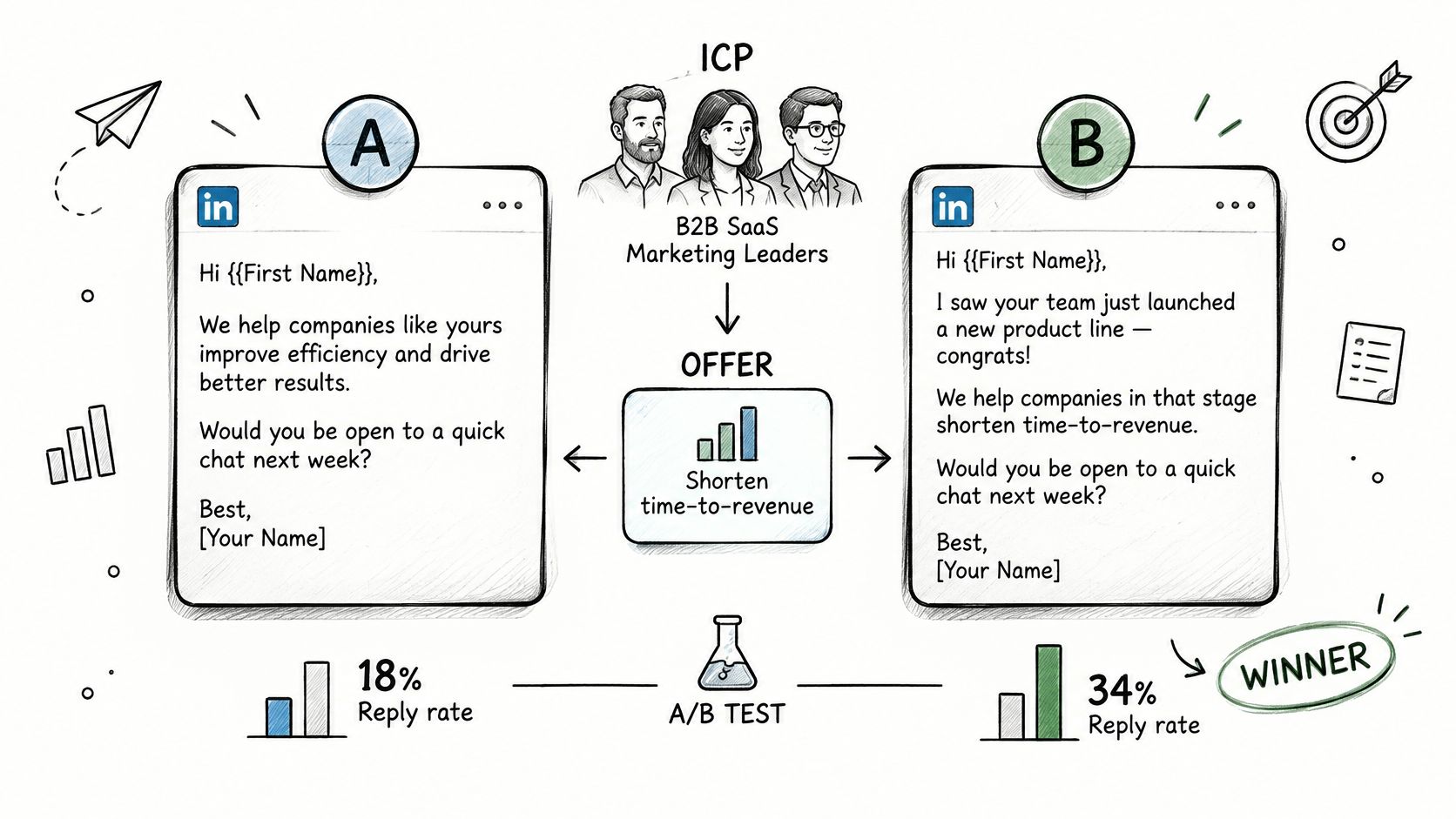
| Opening line | Generic value proposition | Specific trigger and diagnostic question | Sender, segment, and timing |
| Ask | Book a call | Diagnostic question with no meeting request | Offer and follow up count |
| Length | Full pitch over 800 characters | 200 to 400 characters | Trigger source and cadence |
Start with one ICP segment, one offer, and two variants that differ on one variable at a time. A useful first test compares a generic value proposition with a message that names a specific trigger and asks a diagnostic question. Keep the sender, timing, and follow up count constant. For a separate length test, compare a full pitch over 800 characters with a compact version in the 200 to 400 character range. Don't change the opener and the ask in the same test and then guess which one mattered.
Wait until each version has about 50 sends before comparing. Treat that as a practical threshold for reading a directional signal, not proof that the result is statistically certain. Compare positive replies, not every reply, and track four metrics separately: acceptance rate, response rate, positive response rate, and qualified conversation rate.
Use one response definition
LinkedIn measures InMail response rate by replies received within the first 30 days after a message is sent. Its calculation excludes messages sent to email addresses, so don't combine email replies and LinkedIn replies in one rate. Report the number sent, number of replies, response rate, and date range together, following LinkedIn's response rate definition.
That window means a first week read is incomplete. Keep the test open long enough for the measurement period to finish, then compare the same metric across both variants. A high acceptance rate can hide poor commercial relevance if accepted connections don't become positive replies or qualified conversations.
Retire a template that attracts replies but few qualified conversations. Keep the best performing version as the control for the next test. Angles that stop getting replies are retired across every Yalc agent, so the same weak approach doesn't keep resurfacing. Teams can use this practical guide to improve LinkedIn reply rates when choosing what to test next.
Confirm the Test Before Your Next Send
- Choose one ICP segment small enough for individual review and consistent targeting.
- Write two first message variants and keep each within its intended character target.
- Build a trigger list with a source and date for every contact. Remove any row missing either.
- Load the cadence and stop rules into the sequencer. Make sure every follow up adds new context.
- Track all four metrics with a defined denominator and reporting window.
- Schedule a day 30 review to keep a variant, retire it, or choose the next variable to test.
Keep a written log of accounts skipped under the no send rule. It shows which signals the pipeline is missing and stops the team from treating a weak list as a copy problem. Before any message goes out, a person must approve the trigger's accuracy, the tone, any sensitive claim, and the final wording. Yalc agents can research, target, and draft overnight, but only what reaches a buyer waits for the customer's approval.
Yalc gives GTM teams an operating system for prospect research, message drafting, sequencing, and reply handling, grounded in their own ICP, voice, and customer data. Use it to turn a cold LinkedIn message template into a measured workflow with clear approval and stop rules. Visit Yalc to explore how your team can put that process into practice.