Email Deliverability Best Practices: 10 Steps

Strong email copy can't rescue an unauthenticated domain, a dirty list, uncontrolled volume, or missing suppression logic. Mailbox providers evaluate the sender and recipient behavior before they reward the message itself. One 2026 benchmark reported a median inbox placement rate of 89%, with 6.1% of messages landing in spam and 4.9% missing or blocked (2026 email deliverability benchmark). Another benchmark reported 87.2% average inbox placement worldwide, with results varying across Gmail, Yahoo, Microsoft, and Apple Mail (global inbox placement data).
That gap makes deliverability an operational GTM system, not a copywriting problem. Marketing owns consent and campaign intent. Sales owns targeting and cadence. Operations owns suppression and reporting. Engineering owns domains, authentication, integrations, and access controls.
The practical sequence is simple: establish trust, protect reputation, control recipients and volume, test before scale, then monitor every send. Technical delivery means a receiving server accepted the message. Inbox placement means the message reached a visible inbox rather than spam. Recipient response shows whether the audience wanted it. Those are related, but they aren't interchangeable.
The following email deliverability best practices turn those distinctions into an assignable workflow. Teams that want a compact reference can also review these authentication and warm up tips.
Table of Contents
- 1. Implement SPF, DKIM, and DMARC Authentication
- 2. Maintain a Clean Sender Reputation
- 3. Validate Email Lists and Remove Invalid Addresses Before Sending
- 4. Segment Lists by Engagement and Send Frequency
- 5. Write Naturally and Avoid Spam Like Phrases
- 6. Warm Up New Sending Domains and IPs Gradually
- 7. Monitor Bounces and Maintain Suppression Lists
- 8. Use Authenticated Subdomains to Isolate Outbound Campaigns
- 9. Test Across Major Mailbox Providers Before Scaling
- 10. Make Unsubscribe Immediate and Enforceable
- 10-Point Email Deliverability Comparison
- Turn the Checklist Into a Sending Control Loop
1. Implement SPF, DKIM, and DMARC Authentication
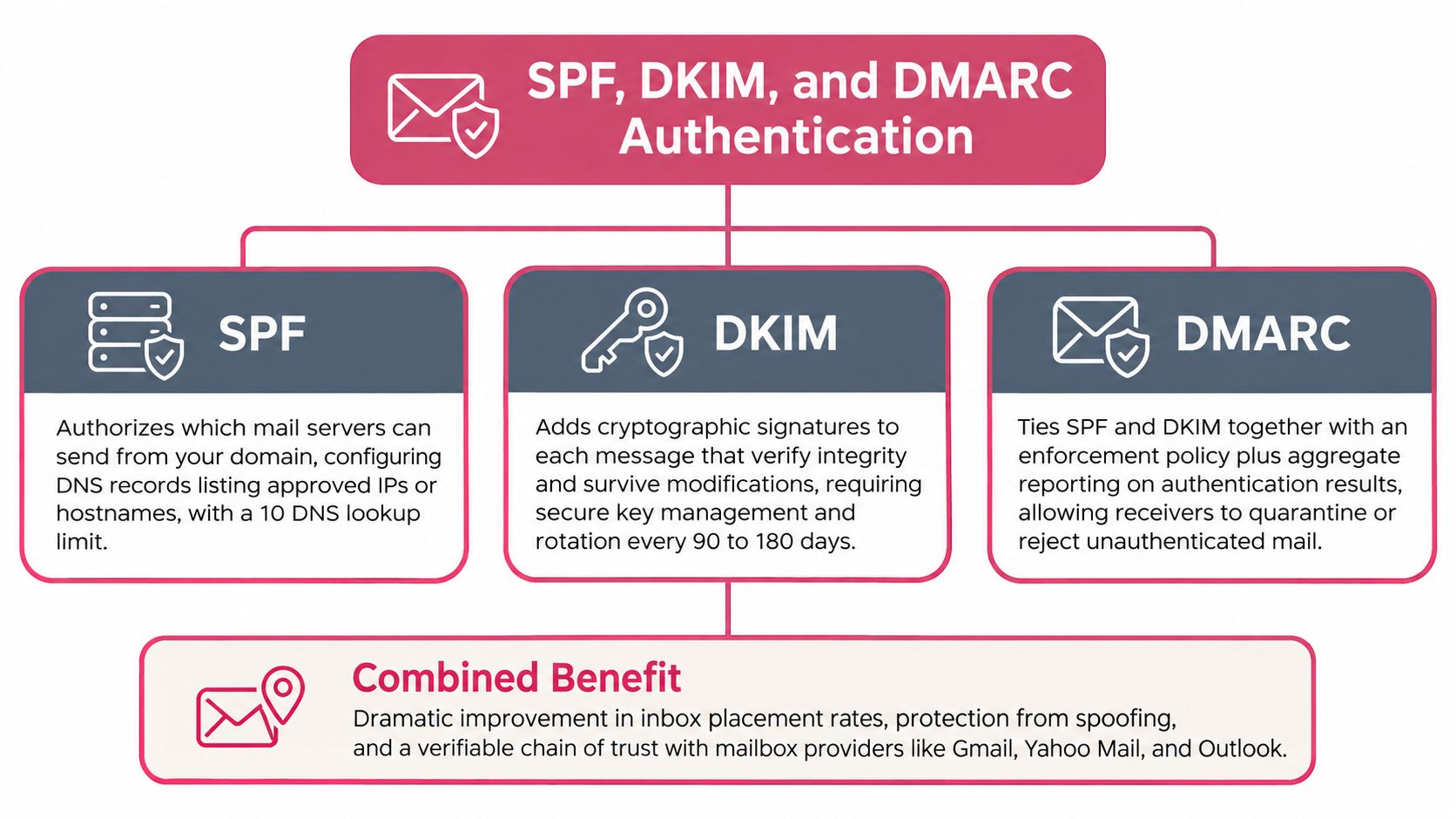
Authentication should be completed before a new sending channel goes live. SPF identifies which servers can send for a domain. DKIM attaches a verifiable cryptographic signature to the message. DMARC connects those signals to the visible From domain and tells mailbox providers how to handle failures.
The operational mistake is treating authentication as a one time DNS task. A B2B SaaS company might use separate providers for transactional email, marketing, support, and outbound sales. Each source needs to be documented and aligned. A Yalc customer using lemlist for outbound should add the relevant sending infrastructure to SPF and configure DKIM for the sending domain before the first campaign.
Use staged enforcement
A DMARC policy can begin at p=none, which provides visibility without immediately rejecting failed messages. Once aggregate reports confirm that legitimate sources pass alignment, the domain can move to p=quarantine, then p=reject (staged DMARC enforcement guidance).
SPF also has a practical maintenance constraint. A record that depends on too many DNS lookups can fail, so teams should consolidate sending sources or use a managed flattening approach rather than adding includes indefinitely.
Practical rule: Add authentication to the launch checklist for every new provider, subdomain, and infrastructure change. Don't wait for a spam placement problem to reveal a missing record.
Authentication enforcement has become widespread. One 2026 tracking report recorded valid DMARC records increasing from 523,921 domains in 2023 to 937,931 in early 2026, a 79% increase (email authentication tracking report). That growth reflects a shift from optional protection to operational necessity.
2. Maintain a Clean Sender Reputation
Authentication identifies the sender. Sender reputation determines whether mailbox providers continue trusting that sender. Providers evaluate complaints, bounces, engagement, and sending consistency over time. A message can pass every authentication check and still reach spam if recipients ignore it or report it.
Use two separate controls: a diagnostic signal and a decision threshold. An aggregate score can look healthy while complaints rise at one provider or replies fall sharply. Google recommends keeping spam complaints below 0.10% and avoiding 0.30% or higher for any sustained period (Google sender guidance).
Make reputation observable
Assign an owner and review reputation data on a fixed schedule. Break the review down by mailbox provider, domain, sending stream, and campaign. A poorly targeted cold prospecting stream can affect a domain that performs well for customer communications, so shared infrastructure requires explicit separation and monitoring.
Yalc's cold email deliverability guidance connects targeting, infrastructure, and campaign behavior. Use that operating view instead of treating reputation as one dashboard score.
- Watch complaints first: A complaint is stronger evidence of unwanted mail than a weak open signal.
- Compare segments: Hot, warm, and cold audiences need different performance baselines.
- Pause unusual changes: Review a sudden volume increase, new data source, or cadence change before scaling.
- Protect good history: Keep an unproven list or aggressive sequence away from a healthy domain.
Set explicit pause points for complaint spikes, declining replies, or provider-specific placement problems. Check the affected stream before changing the entire outbound program. If the issue traces to targeting or cadence, suppress the affected audience, correct the workflow, and resume with a controlled test.
Smaller, better-qualified audiences can improve measurable sending outcomes, but they reduce total sends. That trade-off is usually preferable to pursuing volume that produces complaints and weak engagement.

3. Validate Email Lists and Remove Invalid Addresses Before Sending
List validation belongs before the send, not after the first batch produces hard bounces. An invalid address wastes a send, creates a delivery failure, and can reveal poor source quality to mailbox providers. The same rule applies to event imports, CRM exports, enrichment results, and manually assembled prospect lists.
A practical workflow starts by removing obvious syntax errors, then validating the remaining addresses with a service such as ZeroBounce, NeverBounce, or Clearout. The result should be stored with the source record, not discarded as an isolated vendor report. That lets operations identify whether a CRM, form, enrichment provider, or purchased source consistently produces bad data.
Preserve useful distinctions
Role addresses such as info@, support@, and sales@ shouldn't automatically be deleted. They may deliver, but they often represent shared inboxes with different engagement patterns. Flag them for review and apply a lower priority or a separate campaign policy.
Teams using FullEnrich or another enrichment provider should validate enriched addresses before Campaign Builder or lemlist receives them. Yalc's guide to email verification tools can help operators compare verification workflows before they automate one.
- Validate at intake: Run checks when a record enters the outbound workflow.
- Record provenance: Store whether the address came from the CRM, a form, an import, or enrichment.
- Block known failures: Suppress addresses with permanent failures before every future send.
- Test the validator: Compare a service against a known sample before trusting production data.
Validation isn't permission. A technically valid address can still belong to someone who doesn't expect the message. Consent, targeting, relevance, and suppression remain separate controls.
4. Segment Lists by Engagement and Send Frequency
A single cadence for every recipient is operationally convenient and strategically weak. Someone who replied recently has given the sender a different signal from someone who has ignored every message. Sending both groups the same sequence ignores the only feedback the mailbox provider and the recipient have supplied.
Build a small number of engagement tiers. For example, a team might distinguish recent activity, prior activity, dormant records, and recipients with no engagement history. The exact windows should reflect the business motion and be reviewed against replies, clicks, complaints, and unsubscribes.
Match cadence to evidence
Hot prospects can receive a more active sequence when their behavior supports it. Warm prospects can stay on a standard cadence. Dormant records should receive a limited re engagement attempt, followed by suppression if they remain inactive. This approach sacrifices some reach in exchange for better audience quality.
Yalc's Sequence Runner can manage parallel tracks, while the ICP Scorer can keep low fit records from entering the highest volume path. The important design choice is automatic movement between tiers. A recipient should be downgraded when activity stops, not remain in an aggressive sequence because nobody updated a spreadsheet.
- Define entry rules: Use observable actions such as a reply, click, or recent campaign interaction.
- Keep tiers manageable: Three or four useful groups are better than a segmentation model nobody maintains.
- Review quarterly: Change cadence when complaint and reply patterns show that the current rules are wrong.
- Remove dead weight: Re engagement is a final opportunity, not a reason to send indefinitely.
The trade off is clear. A larger cold segment may produce more attempted contacts, but a smaller warm segment usually gives the sender stronger behavioral feedback and a safer path to scale.
5. Write Naturally and Avoid Spam Like Phrases
Copy cannot fix poor data, and it can worsen an already weak sending program. Cold outreach asks recipients to trust an unfamiliar sender, so artificial urgency, excessive capitalization, repeated exclamation marks, and exaggerated promises create resistance before the reader understands the message.
Judge the wording by conversational accuracy. “Resource for your onboarding process” gives the recipient useful context. “ACT NOW” and “LIMITED TIME OFFER” read like promotional copy, even when the offer itself is legitimate.
Remove pressure, keep specificity
A universal blacklist of words is the wrong control. Filters evaluate multiple signals, and legitimate businesses may use terms that also appear in unwanted messages. Remove pressure that does not serve the message, then make the relevance clear.
- Use a precise subject: Name the business issue or resource instead of manufacturing urgency.
- Avoid visual noise: Do not use ALL CAPS, repeated punctuation, or dollar signs as attention devices.
- Skip deceptive links: Send recipients to a recognizable destination rather than a shortened URL.
- Explain the value: State why the message fits the recipient's role or situation.
- Keep the opt out visible: Provide a clear unsubscribe path instead of forcing recipients to report unwanted mail.
Yalc's Personalizer play can apply these rules during template creation. Keep human approval for new claims, sensitive audiences, or unusual offers. Teams can also use form spam prevention guidance when related lead capture workflows feed email campaigns.
Review the rendered message before release. Check the subject, preview text, links, claims, and opt out path together, then pause the campaign if the final version introduces pressure or a destination the recipient cannot recognize.
Natural writing still requires a legitimate audience. Better copy may improve recipient response, but it cannot repair invalid addresses, poor engagement, or failed authentication.
6. Warm Up New Sending Domains and IPs Gradually
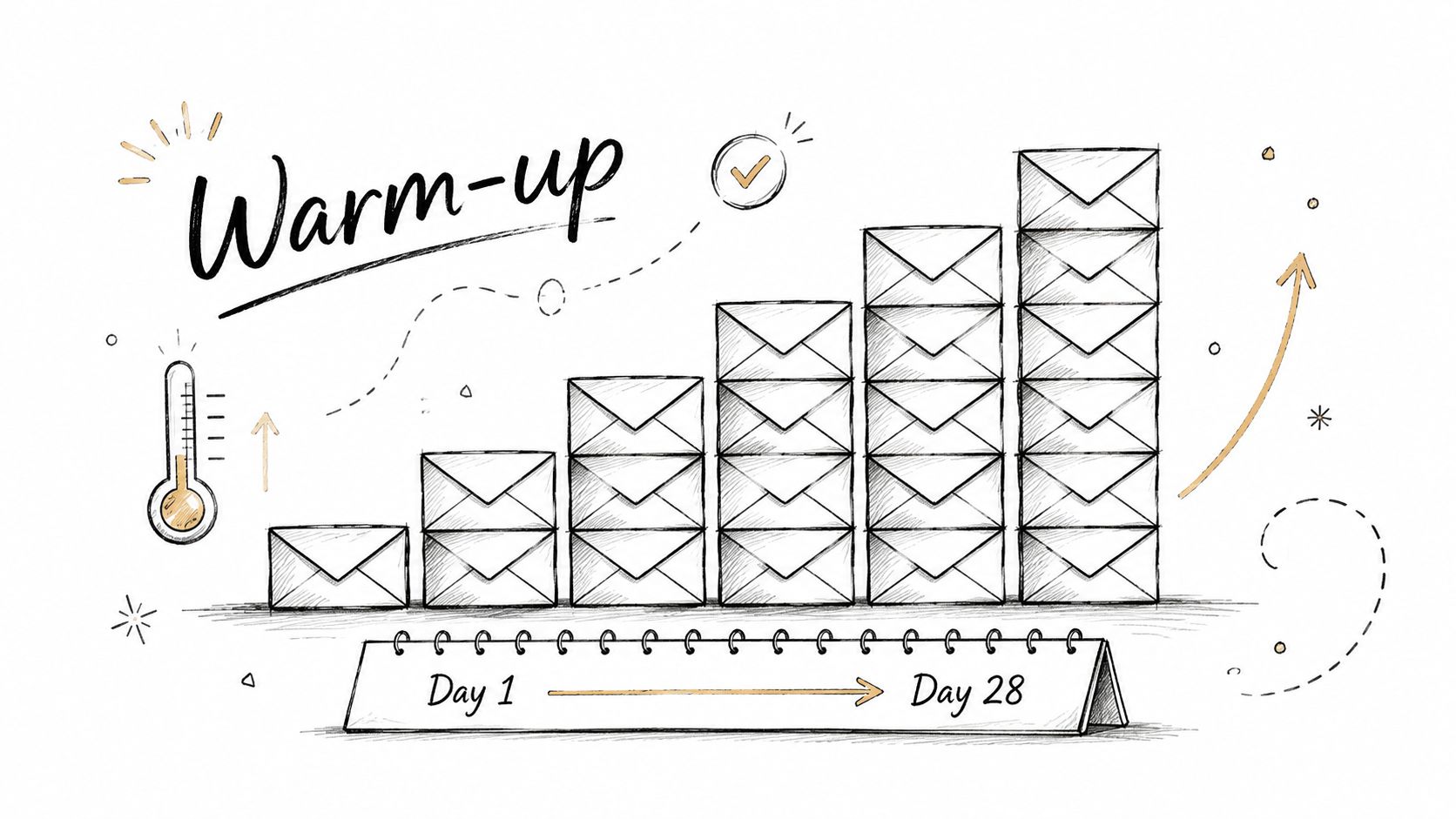
New sending infrastructure has no useful sending history. A sudden jump from no activity to a large campaign creates an abnormal pattern, so the sender should begin with engaged recipients and increase volume only while bounce and complaint signals remain stable.
Warm up the exact domain, IP, and provider combination planned for the campaign. A new dedicated IP doesn't inherit a mature reputation because the company already sends email elsewhere. A new outbound subdomain also needs its own history and monitoring.
Use pause points, not a fixed ramp
The ramp should be treated as a controlled experiment. Start with a small batch, observe delivery and response, then increase in measured steps. If complaints rise, bounces increase, or provider placement deteriorates, pause the increase and diagnose the cause.
Gmail and Yahoo define bulk senders as those sending more than 5,000 messages per day to their addresses. Their requirements include SPF and DKIM authentication, DMARC with at least p=none, one click unsubscribe, and spam complaints below 0.3% (bulk sender requirements).
- Warm with known recipients: Use engaged subscribers or trusted internal test groups before cold prospects.
- Keep streams separate: Promotional and transactional traffic shouldn't share an uncontrolled reputation path.
- Track each day: Review bounces, complaints, placement, and replies before increasing volume.
- Stop on deterioration: A stalled warm up is a diagnostic event, not a reason to push harder.
Yalc's email warm up tools guide can support teams building this ramp into an outbound workflow. lemlist and similar tools can automate scheduling, but automation shouldn't remove approval gates.
7. Monitor Bounces and Maintain Suppression Lists
A bounce is an operational signal, not just a delivery report. Hard bounces should be suppressed immediately because the address is permanently undeliverable. Retry soft bounces selectively, then suppress contacts after repeated failures instead of allowing indefinite attempts.
Check the master suppression list before every campaign, sequence, and resend. A contact suppressed in one system must not re-enter through another. CRM, enrichment, and sending platforms need a shared exclusion rule, not separate lists that drift apart.
Make suppression a shared control
Operations should own the policy, while every sending tool reads from the same source. Campaign Builder, Sequence Runner, and Reply Handler must enforce identical exclusions. Store the reason for each suppression, including an invalid address, repeated temporary failure, complaint, or unsubscribe.
Deliverability remains imperfect even with these controls. A 2026 deliverability summary reports average global deliverability at 83.1%, so post-send diagnosis still matters. Prevention is stronger: stop bad records from reaching another sequence or campaign.
- Separate failure types: Apply different rules to permanent and temporary failures.
- Track reasons: Bounce codes can reveal a weak data source, an outdated record, or a configuration problem.
- Pause on deterioration: Stop the affected campaign when bounce behavior changes materially, then inspect the segment, provider, and sending configuration.
- Protect enrichment data: Keep bounce history attached to the source record so future enrichment and list building can account for it.
A suppression list is an active decision system. It prevents the same address, complaint, or delivery failure from being reintroduced across channels, while giving operators a clear pause point for remediation.
8. Use Authenticated Subdomains to Isolate Outbound Campaigns
Outbound prospecting and core business email have different risk profiles. Transactional messages, customer support, and employee mail depend on stable access to the primary domain. Cold campaigns expose the sender to more uncertainty around targeting, relevance, and recipient response.
An authenticated subdomain can separate those streams. A company might use sales.company.com for prospecting while retaining company.com for customer and operational communication. The subdomain still needs SPF, DKIM, and DMARC, and it needs independent monitoring. Separation doesn't excuse weak practices. It limits the blast radius when a campaign performs badly.
Design isolation before launch
Create and authenticate the subdomain before sending. Choose a clear naming convention such as outbound, campaigns, or prospecting. Document which provider sends through it, which team owns it, and which campaigns are permitted.
A dedicated IP may provide more control, but it also creates a new reputation that must be warmed. A shared pool may be simpler, while exposing the sender to other customers' behavior. The correct choice depends on consistency, volume, provider quality, and the organization's ability to monitor each stream.
- Separate reputation views: Don't let strong main domain performance hide weak outbound placement.
- Keep transactional mail protected: Use separate streams and policies for time sensitive customer messages.
- Investigate before rotating: A new subdomain won't fix poor data or high complaints.
- Limit permissions: Only approved campaigns should send through the outbound infrastructure.
Yalc's unified GTM API can route Campaign Builder activity through the intended sending configuration, while scoped permissions and audit logs help prevent accidental use of the core domain.
9. Test Across Major Mailbox Providers Before Scaling
Inbox placement is provider-specific. A message that reaches Gmail may land in spam at Outlook, Yahoo, Apple Mail, or a corporate domain. Test the actual production path before expanding a campaign, including its sending domain, content, links, provider, and infrastructure.
A sample from another domain only confirms that sample. It does not validate the campaign you plan to send.
Separate technical and placement checks
Start with SPF, DKIM, DMARC alignment, unsubscribe headers, links, and rendering. Then send the production version to seed accounts across the providers represented in the audience. Record inbox, spam, filtering, delivery errors, and security warnings.
Use the results as a release gate:
- Test the path: Keep the final domain, IP, provider, and campaign configuration.
- Store provider results: Attach placement and error observations to the campaign record.
- Retest after changes: Recheck after changes to domain, content, cadence, or infrastructure.
- Pause before scale: A provider-specific failure requires diagnosis and remediation before expansion.
Provider-level performance can vary materially. One 2026 benchmark reported inbox placement of 89.8% at Gmail, 87.3% at Yahoo, 77.4% at Microsoft, and 82% at Apple Mail (provider level deliverability benchmark). A blended result can hide a problem affecting one mailbox group.
Testing also belongs in the operating workflow. One industry summary reported that new sender requirements pushed 23% of senders to make changes, nearly 80% of those changes involved authentication, and only 13% used inbox placement testing (deliverability enforcement takeaways). Yalc-based automation can record provider results, pause expansion, and route remediation tasks before the next send. That gap is a process problem, not a writing problem.
10. Make Unsubscribe Immediate and Enforceable
An unsubscribe request should stop future promotional messages immediately. Make the link visible, usable without login, and connected to a central suppression list. If recipients cannot leave easily, they may report the message as spam instead, creating a stronger negative signal.
Bulk senders must support one-click unsubscribe, and complaint rates should remain below 0.10% as an operating target. Treat this as an operational control, not a footer task. The unsubscribe event belongs in the same feedback loop as delivery errors, engagement, and complaint monitoring.
Build the opt out into every channel
The List-Unsubscribe header gives recipients a native option in supported mail clients. Keep a clear footer link for direct readers as well. Both routes must update the same suppression record with the timestamp, source, and campaign.
- Process immediately: Update the record at request time instead of waiting for a batch job.
- Check centrally: Every campaign and sequence must read the current suppression list before sending.
- Log the event: Retain an audit trail for troubleshooting and compliance review.
- Investigate spikes: A sudden increase can indicate poor targeting, unsuitable content, excessive cadence, or weak list sources.
Apply suppression across promotional workflows, including scheduled campaigns and automated sequences. If Yalc-based automation manages those sends, have it write the event to the shared suppression record and pause queued messages for that recipient.
Do not place the unsubscribe link behind an account page or multiple forms. A smaller audience that wants the messages is more valuable than a larger audience that feels trapped.
10-Point Email Deliverability Comparison
| Item | Implementation Complexity 🔄 | Resource Requirements ⚡ | Expected Outcomes 📊⭐ | Ideal Use Cases 💡 | Key Advantages ⭐ |
|---|---|---|---|---|---|
| Implement SPF, DKIM, and DMARC Authentication | 🔄 Moderate–High: DNS changes, DKIM key management, DMARC tuning | ⚡ Low–Moderate: DNS access, reporting parser or service | 📊⭐ High: strong inbox lift, spoofing protection, visibility via DMARC reports | 💡 All senders before scaling; required for transactional/marketing mail | ⭐ Verifiable trust with providers; prevents domain spoofing |
| Maintain a Clean Sender Reputation Score | 🔄 Medium: continuous monitoring and behavioral improvements | ⚡ Moderate: reputation services, analytics, operational effort | 📊⭐ High (over time): consistent inbox placement; enables safe volume growth | 💡 High-volume senders, shared IP users, long-term campaigns | ⭐ Stable deliverability and safer scaling |
| Validate Email Lists and Remove Invalid Addresses Before Sending | 🔄 Low–Medium: integrate validation into send workflow | ⚡ Moderate: validation service costs and processing time | 📊⭐ High: large reduction in bounces (typical 2–5%) and reputation protection | 💡 Any list imports, purchased lists, large campaigns | ⭐ Prevents bounces, saves quota, improves deliverability |
| Segment Lists by Engagement and Send Frequency Based on Recipient Behavior | 🔄 Medium: tracking, scoring rules and automation | ⚡ Moderate: CRM/MA capabilities and automation workflows | 📊⭐ High: higher engagement, fewer complaints, more efficient sends | 💡 Nurture sequences, sales cadences, mixed-engagement databases | ⭐ Tailored cadence improves inbox placement and conversions |
| Avoid Spam Trigger Words and Phrases That Increase Filtering | 🔄 Low: copy review and A/B testing | ⚡ Low: editorial effort and optional spam-testing tools | 📊 Medium: reduces content-based filtering; modest inbox improvements | 💡 Cold outreach, subject lines, promotional copy | ⭐ Free, immediate improvement; better reply rates and professional tone |
| Warm Up New Sending Domains and IPs With Gradually Increasing Volume | 🔄 Medium: planned ramp schedule and daily monitoring | ⚡ Moderate: time (2–4 weeks), warm-up tools, engaged seed lists | 📊⭐ High: establishes initial reputation and reduces blocking risk | 💡 New domains/IPs, dedicated IP launches, major campaign rollouts | ⭐ Enables safe scaling post warm-up; prevents immediate filtering |
| Monitor Bounce Rates and Maintain Suppression Lists to Prevent Repeated Failures | 🔄 Low–Medium: automate suppression and review bounce reasons | ⚡ Low–Moderate: platform support and periodic maintenance | 📊⭐ High: keeps bounce rate low (<5%) and protects sender reputation | 💡 All senders, especially multi-source or enriched lists | ⭐ Prevents repeated failures, saves quota, maintains list health |
| Use Authenticated Subdomains to Isolate Outbound Campaigns From Core Email | 🔄 Medium: create/manage subdomain DNS and separate auth | ⚡ Moderate: DNS admin, monitoring, optional dedicated IP cost | 📊⭐ High: isolates risk so main domain reputation remains protected | 💡 Cold outbound, agencies managing multiple clients, aggressive testing | ⭐ Protects main domain; simplifies warm-up and recovery |
| Test Deliverability Across Major Mailbox Providers Before Large Scale Sends | 🔄 Low–Medium: create test accounts and run provider checks | ⚡ Low: 24–48 hours and optional testing tools | 📊 Medium–High: reveals provider-specific issues; prevents large-scale failures | 💡 Pre-launch checks, domain/IP/config changes, template changes | ⭐ Early detection of provider-specific problems; evidence for debugging |
| Implement Proper Unsubscribe Mechanisms and Honor Unsubscribe Requests Immediately | 🔄 Low–Medium: add visible link and backend processing | ⚡ Low: minor dev work and processing automation | 📊⭐ High: lowers spam complaints, ensures legal compliance, protects reputation | 💡 All commercial email and bulk sends | ⭐ Reduces complaints, improves trust, required for compliance |
Turn the Checklist Into a Sending Control Loop
The checklist becomes useful when it has owners, data, and pause conditions. Engineering or operations should authenticate every sending source and document SPF, DKIM, and DMARC alignment. Revenue operations should validate new records, maintain the master suppression list, and ensure every sending tool checks it before execution. Sales and marketing should own targeting, cadence, content, and the decision to scale.
The control loop should run in this order:
- Authenticate the source: Confirm the domain, subdomain, provider, SPF, DKIM, and DMARC status.
- Isolate the stream: Keep outbound, marketing, transactional, and support traffic from sharing uncontrolled risk.
- Validate recipients: Reject malformed or undeliverable records before they reach the sender.
- Apply suppression: Exclude bounces, complaints, and unsubscribes across every channel.
- Score fit and engagement: Use ICP Scorer and behavioral tiers to decide who should receive what.
- Warm and ramp: Increase volume only when provider signals and recipient response remain stable.
- Test placement: Check the exact campaign across the mailbox providers that matter.
- Monitor live results: Watch bounces, complaints, replies, clicks, placement, and authentication status.
- Pause and remediate: Stop the affected stream when signals deteriorate, then identify the cause before restarting.
That final step separates a controlled system from a send and hope process. If a campaign starts producing failures, the owner should know whether to stop volume, suppress a source, change the cadence, repair authentication, or return to a warm segment. A remediation path written after the incident is usually too late.
Yalc can connect the Email Enricher, ICP Scorer, Campaign Builder, Sequence Runner, Personalizer, and Reply Handler plays through its unified GTM API. The same system can carry campaign context from enrichment to qualification, execution, reply handling, and reporting. Its telemetry records agent steps, human approvals, scoped permissions, and campaign verdicts, so deliverability checks can become workflow controls rather than manual reminders.
The architecture supports two operating modes. Engineers can compose plays through the Yalc MCP in Claude Code, while other operators can run configured playbooks from Slack or the Yalc UI. Both use the same data, GTM knowledge, and execution layer. That matters when deliverability rules need to be shared across teams instead of buried in one operator's process.
The final standard is concrete. Every campaign needs an owner, a pre send review, provider level monitoring, a suppression check, and a documented response when bounces or complaints deteriorate. Strong email deliverability best practices don't guarantee that every message reaches the inbox. They ensure the team can observe the system, limit risk, and improve the next decision.
Yalc connects enrichment, ICP scoring, campaign execution, sequencing, personalization, reply handling, and campaign telemetry through a unified GTM API, helping teams make deliverability part of the operating workflow. Visit Yalc to evaluate a controlled approach to outbound execution with approvals, scoped permissions, and measurable campaign verdicts.