LinkedIn Sales Prospecting: A Playbook for 2026
LinkedIn sales prospecting advice still reads like a quota. Send a fixed batch of connection requests every day, paste a template, keep following up until someone books. That motion treats every profile as interchangeable and every account as able to absorb the same volume.
It breaks because LinkedIn is a reputation constrained system. Acceptance rates, ignored requests, spam reports and restriction events decide whether the next send can leave the account at all. A sharp note cannot rescue a sender who has already tripped a limit.
Run the work as a feedback loop. Fit and intent decide who enters the queue. A person approves anything a buyer will see. Acceptance and restriction signals sit beside replies as the numbers that keep, change or retire a play.
Network size is not the constraint. Relationship context is. A request that lands with no shared history, no mutual contact and no reason for the timing reads as noise, and the reader marks it that way. Find the trigger event first, then write the note around it. The same send carries weight a cold template never will.
Table of Contents
- The Five Stage LinkedIn Prospecting Workflow
- How to Build a Target List Worth Working
- LinkedIn Limits and Account Safety Rules
- Messaging Playbooks That Earn Replies
- What to Automate and What Stays Human
- Metrics That Show Whether Prospecting Works
- Run a Two Week Pilot Before You Scale
The Five Stage LinkedIn Prospecting Workflow
LinkedIn sales prospecting holds together when a team runs five stages in order and refuses to skip the ones that need a person. The table is the operating map. Each row names the owner, the input, the output the next stage uses, and the metric that shows the stage worked.
| Stage | Owner | Input | Output | Core metric |
|---|---|---|---|---|
| Define the ICP | Sales leader | Closed won accounts and lost deal notes | Written firmographic and buyer criteria | Share of accounts matching the ICP |
| Build the target list | RevOps or SDR | Sales Navigator search and CRM export | Enriched contacts with verified emails | Qualified contacts added per week |
| Score buying signals | Sales ops or GTM engineer | Job changes, hiring, content engagement | Contacts ranked by fit and intent | Share of replies from top scored contacts |
| Run the sequence | SDR | Ranked list and approved message angles | Connections, replies and meetings | Positive reply rate |
| Measure and adjust | Sales ops | Weekly metric export | Keep, change or retire each play | Meetings booked per 100 contacts |
What each stage must produce
Stage one is a written decision, not a slide. The sales leader sets a company size band, industry, region, buyer titles, and the trigger events that make an account worth a call this month. Closed won notes and lost deal notes are the raw material. If the criteria cannot knock out a bad account, later stages only move noise faster.
Stage two turns that profile into a Sales Navigator search and a contact list with verified emails. Stage three scores real buying signals, such as a new budget owner, a hiring surge, or a competitor review, and keeps them separate from passive likes and profile views. Stage four sends connection requests, follow ups, and reply triage from approved angles only.
Stages two, three, and four can run in software under approval. Stages one and five cannot. Measurement is where a person keeps, changes, or retires each play using acceptance, positive replies, and meetings booked. A written profile is also how teams start building healthier pipelines through targeted outreach, because volume without exclusion rules only fills the CRM with people who will never buy.
Put the five stages on one page, name an owner for each, and lock the success metric before anyone swaps a tool.
How to Build a Target List Worth Working
A target list is a weekly work queue, not a dump of everyone who matches a title. Start from the written ideal customer profile, then cut hard before anyone writes a note.
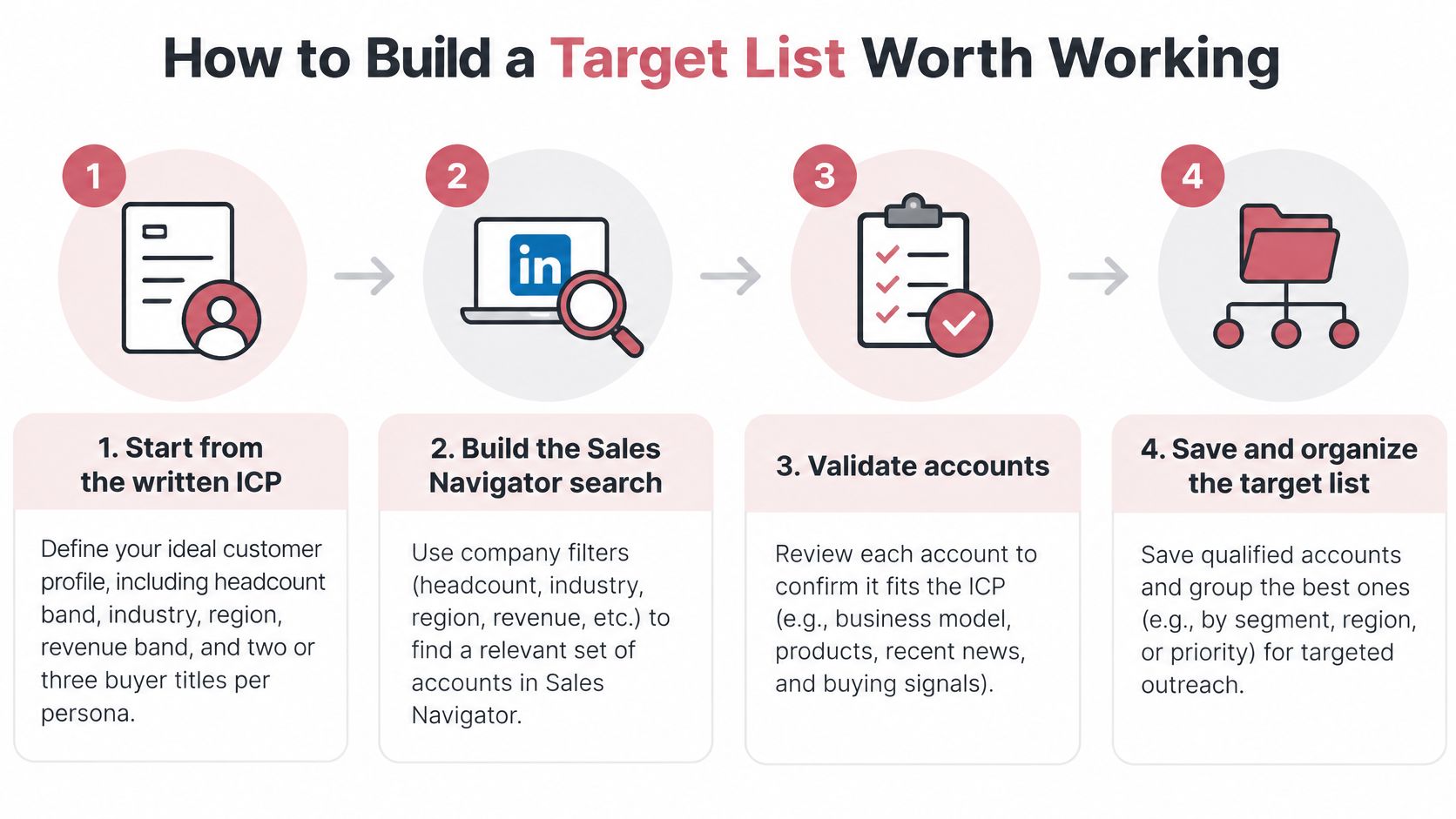
- Start from the written profile. Use the headcount band, industry, region, revenue band, and two or three buyer titles per persona. A search without those fences matches people who cannot buy, so the list looks large and the week is wasted.
- Build the Sales Navigator search with company filters first. Add title filters second, and keep seniority to two or three levels. Title first searches pull in adjacent roles and inflate the count without adding buyers.
- Strip out people the team already owns. Remove current customers, open deals, and recently lost accounts from the CRM before any contact is added. Those names already have an owner, and a second sequence creates internal noise.
- Move the list only through an approved integration. Do not export profiles with a browser extension. Teams sometimes look at choosing tools for production web scraping for other public web work. On LinkedIn, scraping profiles is the wrong path, and a narrower build is covered in this guide to niche outbound lists.
- Enrich only where the match is verified. Add a business email and phone when the data provider returns a verified match, and flag low confidence rows for a person to review. Guessed emails create bounces and train the team to ignore the queue.
- Score fit and reachability, then rank. Reps start with the top 50, not the full export. A ranked queue stops the week from being spent on the easiest profile instead of the best account.
- Assign one persona and one play before the first message. A contact without a play becomes a generic note. A contact with two plays becomes two conflicting asks.
What a ready list looks like
Every row should show company, title, fit score, source, and owner. Say a SaaS company sells to firms with 200 to 500 employees and the buyer is a VP of Sales. Three hundred well fit contacts will beat 3,000 unscored names, because the smaller queue can be sent, reviewed, and judged.
A list the team cannot finish in a week is not a pipeline. It is a backlog.
LinkedIn Limits and Account Safety Rules
Account level limits set the speed of the whole system. A good message still fails if the sender is blocked.
| Control | What LinkedIn does | Threshold or duration | Operating response |
|---|---|---|---|
| Invitation limit reached | Temporary restriction on new invitations | About one week | Stop sending and review pending requests |
| Too many outstanding invitations | Restriction before the next invitation | Up to one month | Withdraw stale invitations before sending more |
| Standard and personalized invitations | Separate limits apply to each | Not published as one number | Track both counts in the sending log |
| Weekly invitation volume | No universal number published | No universal number published | Ramp slowly and watch acceptance each week |
What the controls actually do
Every member, including Basic and Premium accounts, is subject to invitation limits. LinkedIn's help guidance says a limit can temporarily restrict further invitations, and the restriction typically lasts about one week. The same guidance says a restriction caused by too many outstanding invitations can require waiting up to one month before the next invitation. Standard invitation limits and personalized invitation limits are separate controls. LinkedIn does not publish one universal weekly number, so an unofficial figure copied from a blog is not a safe ceiling.
The operating routine is dull on purpose. Cap daily invitations below that account's recent peak. Withdraw stale pending requests every week. Suppress contacts who ignored an earlier request. Pause sends when acceptance falls. Require a person to approve any step that raises volume. Agents can research, target, and draft overnight, and only what reaches a buyer waits for the customer's approval.
Say a rep moves from 15 invitations a day to 80 in one week. The notes may be fine. The account can still go quiet for a month, and every other campaign on that seat stops with it. More detail on pacing sits in this note on LinkedIn automation limits and rules.
Keep a sending log with sender, target, timestamp, request type, and approval state. When acceptance drops, the log shows whether the cause was targeting, the note, or velocity. Without that record, the team argues about copy while the actual problem is speed.
Messaging Playbooks That Earn Replies
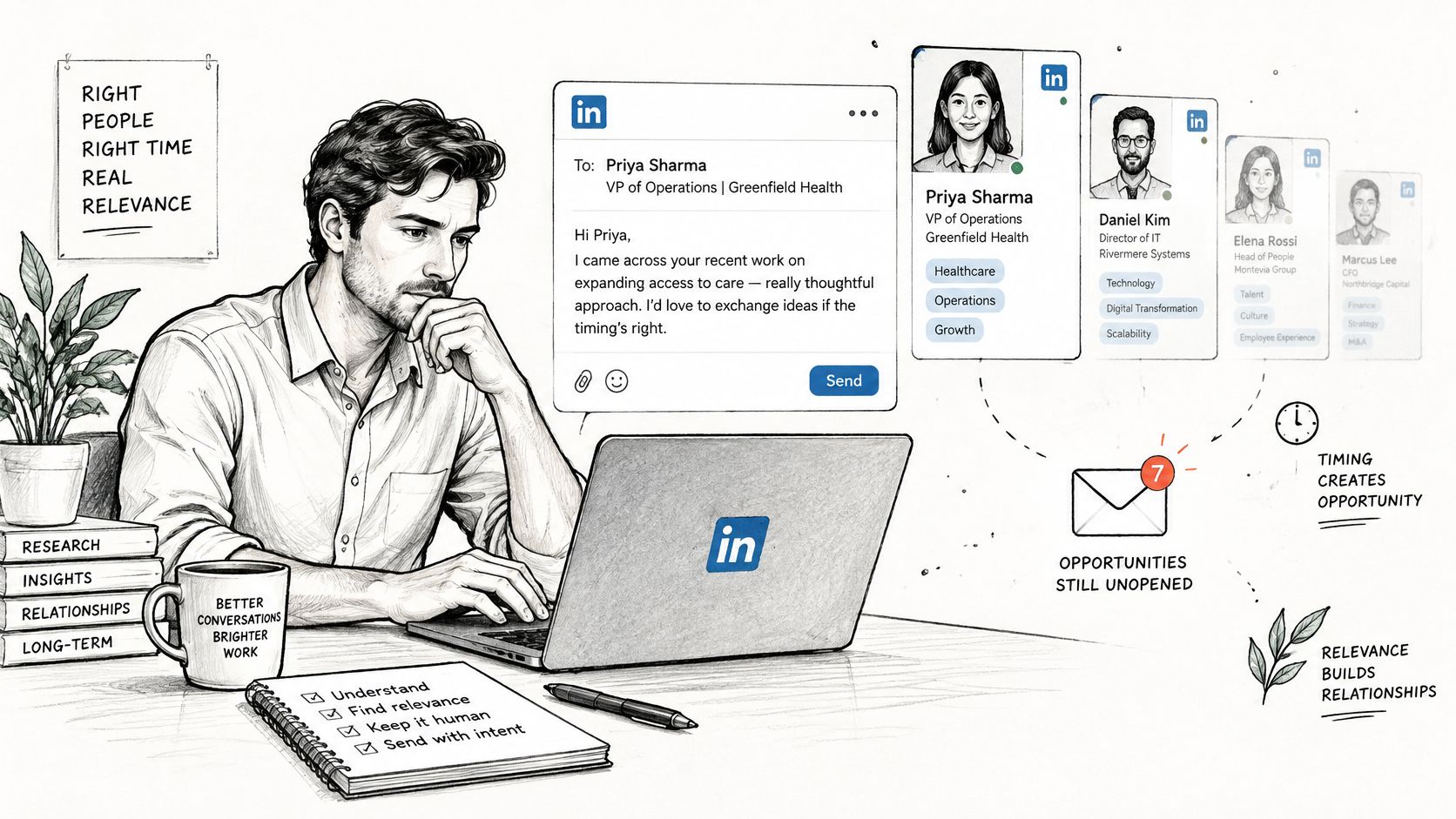
A first touch usually lands before a buying window exists. In 2024, 95% of B2B buyers were out of market, and 81% chose to purchase from brands they already knew on day one, according to LinkedIn's research with GWI, a study of more than 1,700 B2B technology buyers in the United States, United Kingdom, and India. So the first message has one job: earn a reply, not a meeting. A reply buys time until the window opens.
Three angles that justify a touch
Trigger. Name one event, such as a funding round or a new role, and one consequence for the buyer's job. No event, no send.
Peer result. Cite a result from a similar company with the segment and the outcome. One sentence should let the reader see their own situation.
Resource. Offer a checklist or a teardown with no meeting ask. The reply is permission to send it, nothing more.
Buyers screen hard before they read. Gartner research, summarized in this roundup of LinkedIn outreach statistics, found that 73% of B2B buyers actively avoid suppliers that send irrelevant outreach. A vague compliment does not clear that bar. A named trigger does.
A five touch sequence
Every message Yalc agents write starts from the customer's own CRM, calls and won deals, so the words sound like the team that already sells. The standard for each play has four parts: it starts from the customer's own data, carries the customer's voice, is held to what is working right now, and gets a person's approval before a buyer sees it. Ways to lift the reply side of this work are laid out in improving LinkedIn reply rates.
Day zero, connection request. Personal line, no pitch. “Your note on hiring two enterprise AEs matches a pattern we see when pipeline coverage is being rebuilt. Happy to connect.”
Day two to four, trigger. “The round you announced this week usually forces a rebuild of the SDR to AE handoff. A similar 300 person software firm lost two weeks of coverage in that gap. Worth a short note on what they changed?”
Day seven, one resource. “Here is a one page checklist of the three handoff failures that show up after a round. No call attached. Want it?”
Day fourteen, a choice. “Two options if useful. I can send the checklist, or we can spend ten minutes on your current sequence. Which helps?”
Day twenty one, close the loop. “I'll stop here. If the AE bench is still open next quarter, reply and I'll send the checklist.” State one next step, then stop. The same restraint applies to post-call emails for mortgage clients: make the point, offer one path, end the note.
Retire an angle after two cohorts of weak replies. Endless rewrites hide a bad trigger, and a fresh cohort built on a sharper event teaches more than a fifth edit of the same note. A message that earns a reply while acceptance slides across the next twenty sends is still a net loss to the seat.
What to Automate and What Stays Human
Sort every task before you connect a tool. The boundary is not “automation versus no automation.” It is research that can run unattended versus any action that touches a buyer on the platform.
| Task | Automate | Human approval | Reason |
|---|---|---|---|
| Enrich contacts through approved data APIs | Yes | No | Read only data, logged per contact |
| Score fit against the ICP | Yes | No | Review scoring thresholds each month |
| Draft message variants | Yes | Yes | Drafts are reviewed before any buyer sees them |
| Send connection requests | Limited | Yes | Volume and timing drive account risk |
| Send direct messages | Limited | Yes | Browser automation is prohibited |
| Reply to prospects | No | Yes | Replies need judgment and context |
| Sync outcomes to CRM | Yes | No | Keeps records accurate for reporting |
Where the platform draws the line
LinkedIn prohibits third party software and browser extensions that scrape profiles, copy data from the service, or automate activity on the website. LinkedIn's policy on prohibited software explicitly covers automated methods used to add or download contacts, send or redirect messages, and create, comment on, like, share, or reshare posts. Use of those tools violates the User Agreement and can mean restriction or shutdown. A bot that exports profiles, or a browser script that sends messages, carries that risk even at low volume. Prohibited tools can also stop working without notice, so a sales motion built on them has no continuity.
Permitted automation stays off the website session. Enrichment through an approved data API, fit scoring, draft copy for review, CRM sync, and reply classification that routes a thread to a person all fit. A person still sends connection requests and messages, handles every reply, and approves any note that mentions pricing or a competitor.
Give each agent the least access it needs. Log every action. Keep a pause switch per sender. Picture a team that enriches overnight, leaves drafts in a queue, and lets only approved messages leave the account in the morning. Research runs unattended. Anything that reaches a buyer through LinkedIn waits.
The tool path that stays supportable
Sales Navigator handles search and list building. The CRM is the system of record for accounts and outcomes. An approved enrichment provider returns verified emails and phone numbers through its API. Connect only tools with a documented integration path, and sync the CRM on a schedule so reps never work from two lists. Agents can run on the CRM, sequencers, and data tools the team already pays for, so those tools do not have to be replaced.
Metrics That Show Whether Prospecting Works
Judge the system on five numbers. Each has a formula, a warning, and a next action. Vanity counts, such as messages sent, do not make the list.
Invitation acceptance rate is accepted invitations divided by invitations sent. Healthy means the rate holds or rises week to week. A fall means the targeting or the note is off, so cut volume and rewrite the segment before you add names.
Pending invitation age is the share of invitations still unanswered after two weeks. A rising share means those people have said no by silence. Withdraw them and suppress the contacts.
Positive reply rate is positive replies divided by messages sent. It matters more than total replies, because a polite decline still counts as a reply and can flatter a weak play.
Restriction events are warnings or blocks on the sending account. Any event means pause that sender and read the log before another request goes out. This is a failure metric, not a cost of doing business.
Meetings booked per 100 contacts is the comparison number across personas and signal tiers. Use it to decide which queue earns more of the week, not to set a public target on day one.
Why the early signals come first
Acceptance and restriction events move before pipeline does. They show whether the account is still allowed to work. Reply rate shows whether the angle earns attention. Meetings show whether the angle earns commercial time. Reading them in that order stops a team from “fixing” a quota by sending more into a damaged account.
Check account health daily. Review acceptance and reply trends weekly. Retire or promote an angle every two cohorts, not every afternoon. Say one persona shows 40 percent acceptance and 1 percent positive replies. The fix is a sharper trigger, not a higher daily cap. The accepts prove the profile is tolerable. The replies prove the ask is not.
Record a two week baseline before you set any target. A benchmark copied from another team rarely fits a different profile, a different offer, or a colder network.
Run a Two Week Pilot Before You Scale
Do not change tools until a fourteen day pilot has a baseline and a verdict. Pick about 150 contacts from the ranked list, across two personas and one signal tier. Set the daily invitation cap below that account's recent peak. In week one, a person approves every message.
Before day one, pull the last two weeks of acceptance and reply data and freeze those numbers. If you start without them, every later change will look like an improvement.
Day 1. Load the 150 contacts, set the cap, and approve each message. Do not add a third persona because the queue feels thin.
Day 7. Review acceptance, pending invitation age, and reply quality. Widen only inside the cap, change the note, or pause a persona. One decision per persona is enough.
Day 14. Score positive replies and meetings booked per 100 contacts against the frozen baseline. Keep the play, change the angle, or retire it.
The scaling rule
Widen only when restriction events stay at zero and positive replies hold for two cohorts. A clean week with weak replies is a copy problem. A strong reply week with a warning is an account problem. Scaling either one copies the failure.
Put the day seven review on the calendar now, with a named owner for the cap, the note, and the pause. If the motion needs a system rather than a spreadsheet, the first step is one mapping call that shows how the team sells and where it leaks. The path after that is a written audit, an agent fleet built for the motion, approval of the first handoffs, and a system that runs and learns. The build covers that audit, the fleet, the data layer, two engineers inside the business, and a system the team owns.
Yalc runs LinkedIn sales prospecting as a controlled system: research and drafts can move overnight, and only approved outreach reaches a buyer, with acceptance and restriction signals deciding what scales. The work sits on your CRM, your data, and your voice, with a person on every sensitive send. See how the motion is set up at Yalc.