Types of CRM for Modern GTM Teams
The most popular advice about the types of CRM is also the least useful for a modern revenue team. Buyers are usually told to choose between operational, analytical, collaborative, or strategic CRM. Those labels describe what a platform can do, but they don't tell a founder whether the system can coordinate enrichment, research, qualification, outreach, approvals, and reporting without creating another administrative layer.
The better question is architectural. Where does customer data live, who can change it, which workflows run automatically, and how easily can the system connect to the tools already in use? A CRM that stores records but leaves operators to move information between applications may satisfy a category definition while still failing the revenue process.
Table of Contents
- The Legacy Taxonomy Problem
- Historical Evolution of Customer Data
- Operational Versus Analytical Architecture
- Collaborative Data Sharing Models
- The Rise of Orchestration Platforms
- Deployment Models and Data Control
- Evaluating Your Workflow Bottlenecks
- Quick Reference Selection Guide
The Legacy Taxonomy Problem
The classic three part CRM taxonomy is useful for orientation, but it shouldn't drive a buying decision. Operational CRM supports sales, marketing, and service workflows. Analytical CRM turns interaction data into reports and insight. Collaborative CRM shares customer information across departments and channels. Those distinctions remain valid, but they describe functional intentions rather than the way modern GTM teams execute work.
A sales representative may research an account in one application, enrich contacts in another, draft a message with an AI tool, sequence the outreach somewhere else, log the activity in a CRM, and ask a manager for approval in Slack. A marketing operator may use a different data set to score the same account. Customer success may not see the full history until a handoff happens. Calling the CRM “operational” doesn't solve the coordination problem.
Practical rule: Evaluate the path a customer record takes through the business, not just the features listed on the product page.
Why feature lists miss the real architecture
The weakness of a textbook category is that it treats the CRM as the center of work. In practice, the CRM is often one component in a wider system that includes a warehouse, enrichment providers, messaging channels, billing software, support tools, and reasoning models. The important capability is the layer that coordinates those systems while preserving permissions, context, and an auditable record of each action.
That layer needs to answer practical questions:
- Data control: Can the team define which system owns an account, contact, activity, and opportunity?
- Workflow control: Can a trigger start a sequence of enrichment, scoring, drafting, review, and CRM updates?
- Integration readiness: Can the system connect through APIs, webhooks, exports, file systems, or other supported interfaces?
- Human oversight: Can sensitive actions pause for approval instead of running without review?
- Operational memory: Can the system retain the team's ICP, voice, approved plays, and prior outcomes?
Artificial intelligence agents make these questions more urgent. An agent that can read a record but can't reliably write back an approved change is a research assistant, not a revenue system. An automation that sends messages without a clear audit trail may save clicks while creating compliance and brand risk.
A better buying baseline
Leaders should score every CRM architecture against orchestration depth, not just category coverage. A shallow platform forces people to copy data between tools and manually reconcile state. A deeper architecture lets an event move through a controlled process, such as new account detected, firmographic data checked, ICP score calculated, message drafted, human approval requested, outreach launched, response classified, and CRM state updated.
Legacy system integration also deserves explicit scrutiny. Teams replacing old databases, spreadsheets, or local applications can use this practical guide to how Vision integrates old systems when assessing migration dependencies and data continuity.
The category labels still help a buying committee speak the same language. They shouldn't become a substitute for mapping the operating model. A modern CRM decision is ultimately a decision about data ownership, execution control, and the number of manual handoffs the team is willing to tolerate.
Historical Evolution of Customer Data
CRM history is not a clean march toward a single platform. Each generation solved a narrower operating problem, then left behind data structures and workflows that later systems had to connect. That history explains the familiar categories, but it also shows why they fall short when AI agents and automation must act across the revenue process.
In the 1950s, many companies maintained paper based customer files. In the 1970s, mainframes introduced digital storage and processing. Database marketing arrived in the 1980s, followed by sales force automation in the 1990s. Cloud CRM became prominent in the 2000s, after decades of local systems managed on company servers. This progression is documented in the history of CRM systems and their major shifts.
A notable milestone was the launch of ACT! in 1987, often described as a digital Rolodex. Salesforce launched in 1999, helping accelerate the shift from on premise software toward SaaS CRM in the 2000s. These products addressed the dominant problem of their period: converting scattered contact information into a usable digital record.
Why the categories became standard
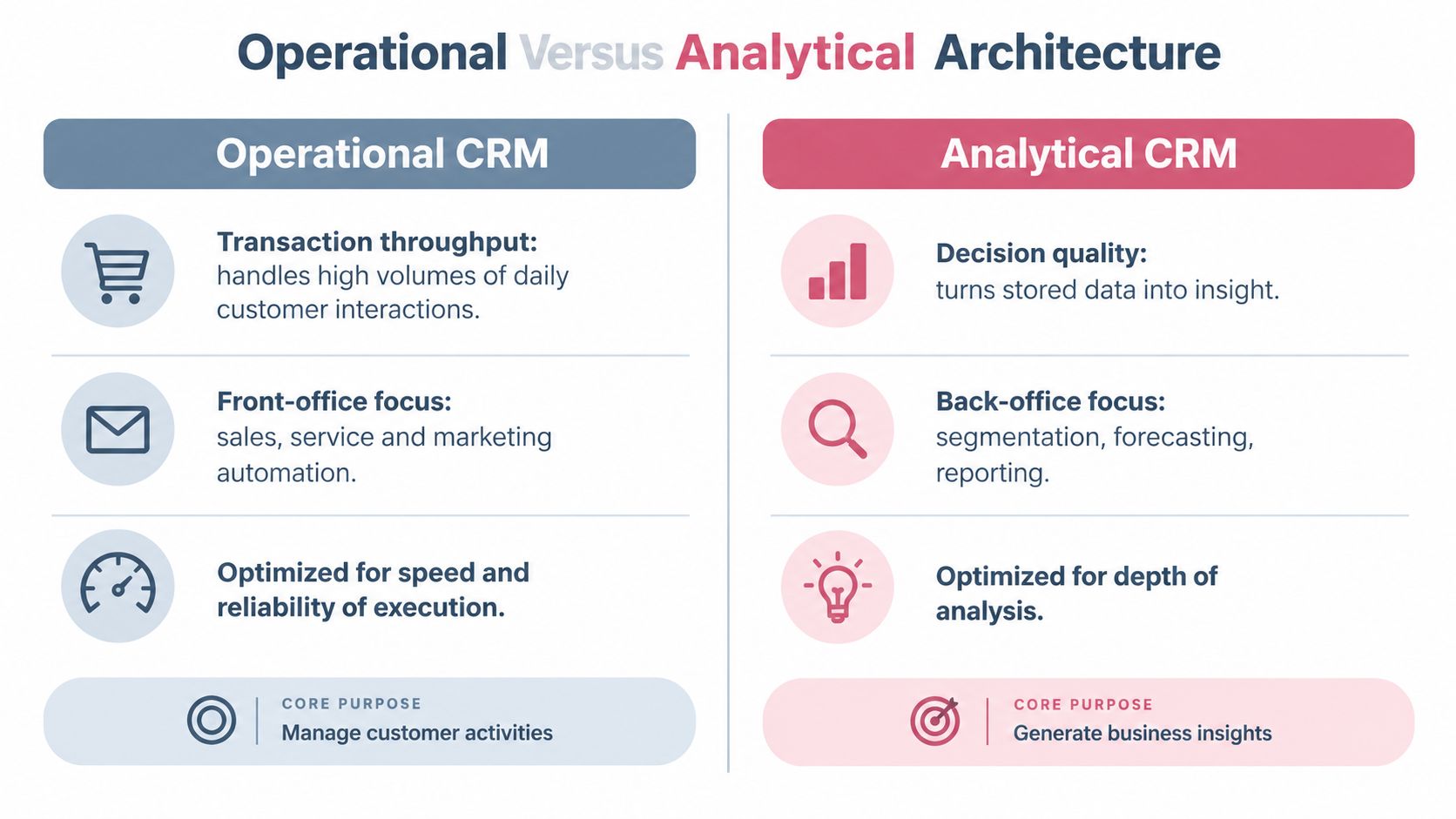
Operational CRM grew from recurring front office work. Companies needed systems to capture leads, assign activities, progress opportunities, manage service cases, and coordinate customer communications. Operational platforms therefore prioritize execution speed, reliable record updates, and transaction throughput.
Analytical CRM answered a different requirement. Once organizations accumulated enough interaction data, they needed to segment customers, report on performance, forecast demand, identify patterns, and improve prioritization. Its role was to turn stored activity into better decisions rather than make every daily task faster.
Collaborative CRM addressed the organizational problem that followed. Customer context sat across sales, marketing, service, and other teams. Sharing that context reduced inconsistent communication and gave employees a fuller view of the relationship. The category described a coordination need, not just another database feature.
The progression ran from manual recordkeeping to integrated software systems. It remains useful as a historical model, yet it creates a risk during architecture decisions. A platform designed mainly as a contact database may lack the event model, permissions, API coverage, and workflow controls required for agent driven execution. An AI system can produce an answer from a record while still failing to update the correct object, request approval, or preserve an auditable state change.
Cloud changed the default deployment
Cloud delivery became the dominant commercial pattern after years of local, server based systems. One industry summary reports that cloud CRM usage rose from 15% in 2010 to 87% in 2020, while cloud solutions represented 56.1% of CRM market revenue in 2022, as described in this overview of CRM market milestones.
The same source reports that Salesforce held 19.5% of the CRM market in 2018, compared with 8.3% for SAP and 5.5% for Oracle. That competitive shift mattered operationally. Cloud first vendors made integration, frequent updates, and subscription access part of the expected buying experience, while also making data residency, permissions, and vendor dependency more prominent architecture questions.
History explains where the labels came from. In 2026, teams also need to evaluate how reliably a system can move customer data through governed automation. The useful target combines operational records, analytical context, collaborative access, and controlled execution instead of treating those categories as separate answers.
Operational Versus Analytical Architecture
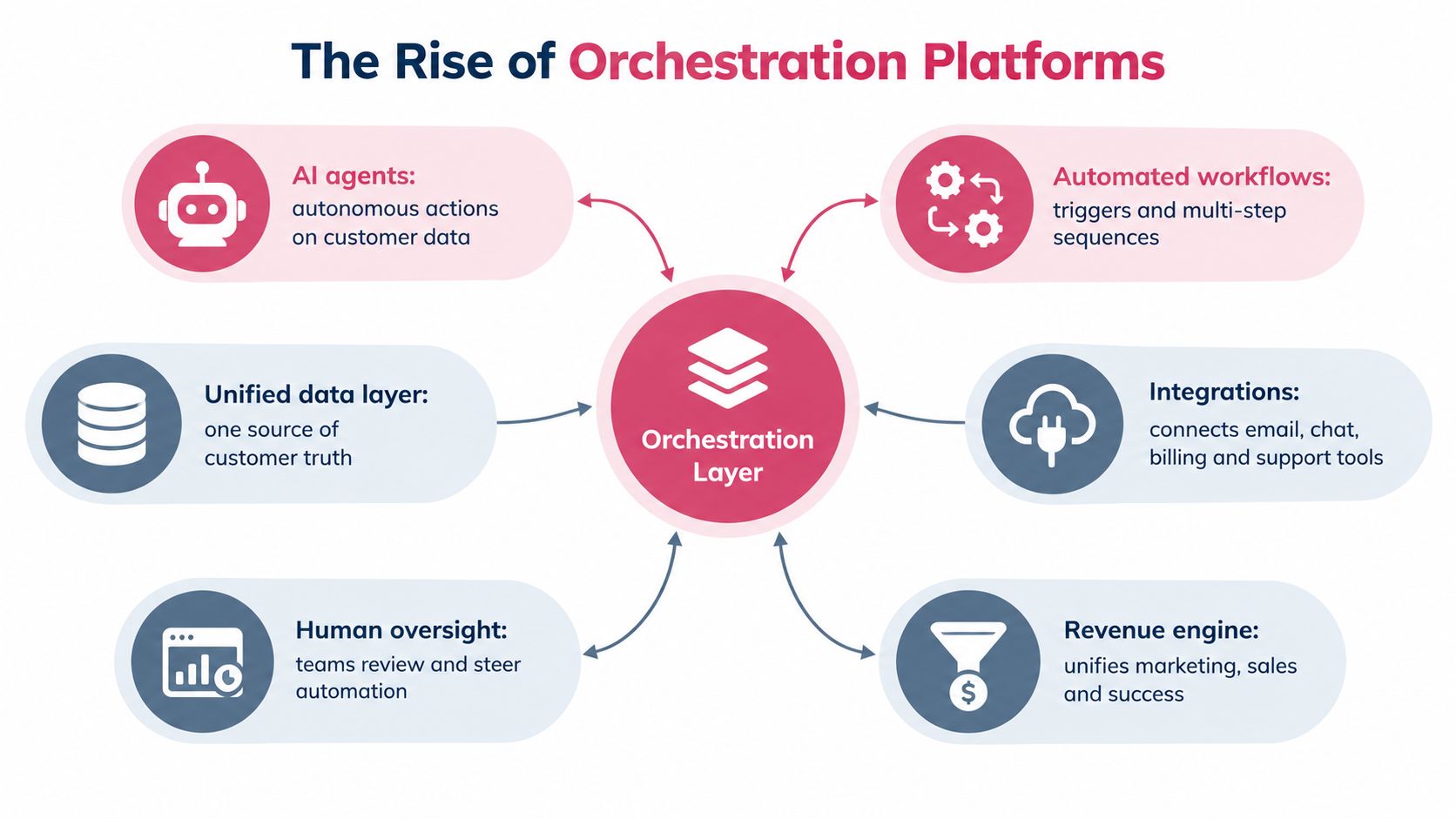
The most important distinction is not operational versus analytical as a matter of product marketing. It is transaction throughput versus decision quality.
Operational CRM is the implementation heavy engine. It captures a lead, creates an opportunity, assigns an owner, records an activity, opens a service case, or moves a deal through a defined stage. It must be dependable during ordinary work because a broken workflow can prevent a representative from following up, cause a case to disappear, or leave pipeline state inaccurate.
Analytical CRM performs a different job. It consolidates interaction data, applies segmentation, produces reporting, and may support forecasting or predictive insight. It helps leaders decide which accounts deserve attention, which channels produce useful conversations, and where pipeline quality is deteriorating.
The pipeline example
Consider a new inbound account. An operational system should capture the form submission, create or update the account, assign ownership, create a follow up task, and record the communication. Those actions need clear validation rules and predictable state transitions.
An analytical layer can then combine the account with historical interactions, source data, segment definitions, and pipeline outcomes. It can help the revenue operations team identify which accounts resemble successful customers or which stages contain unusual friction. The analytical layer should not slow down the representative's activity screen by forcing every complex query into the transactional database.
The separation works because each system has a clear responsibility:
| Architecture layer | Primary job | Typical output |
|---|---|---|
| Operational CRM | Record and execute customer activity | Account updates, tasks, opportunities, cases |
| Analytical layer | Interpret accumulated interaction data | Segments, reports, forecasts, prioritization |
| Orchestration layer | Coordinate tools and decisions | Enrichment, approvals, sequences, write backs |
| Human operators | Set policy and handle judgment | Strategy, exceptions, sensitive approvals |
A useful sales intelligence reference can help teams distinguish raw account information from actionable signals in this explanation of sales intelligence. The distinction matters because an insight is only valuable when the operating system can route it to the right person or workflow.
Why one application often fails
Forcing every operational and analytical function into one application creates predictable problems. Daily users get slow or cluttered interfaces. The database accumulates fields created for isolated reporting requests. Teams build fragile custom objects to represent temporary analytical concepts. Eventually, operators stop trusting the data because each report uses a slightly different definition.
The reverse problem is just as serious. A separate analytics environment can produce excellent insight but fail to change the workflow. If a model identifies a promising account and no controlled process assigns it, enriches it, and creates an approved next action, the insight remains a dashboard artifact.
The strongest architecture usually keeps a system of record for operational state, a dedicated analytics layer for decision support, and an orchestration layer that moves approved intelligence into execution. That arrangement isn't automatically simple, but it gives each component a job it can perform well.
Collaborative Data Sharing Models
Collaborative CRM exists to prevent a customer from becoming a different customer in every department's database. Sales may know that an opportunity is active. Marketing may be preparing an account campaign. Support may be handling an unresolved issue. Without shared context, each team can communicate accurately from its own view while still creating a confusing experience for the buyer.
The solution isn't unrestricted access to every field. It is shared visibility with deliberate permissions. Teams need a common interaction history, consistent account identifiers, clear ownership, and rules that protect sensitive information.
Build a shared customer record
Start by defining the objects that must remain consistent across teams. Most organizations need a shared account identity, contact identity, opportunity or subscription state, interaction timeline, owner, and next action. The exact schema depends on the business, but the principle is stable: every team should know which record represents the customer and which system has authority to update each field.
Then define the data flow:
- Capture the event: Record the email, call, form submission, meeting, support case, or product signal with its source.
- Resolve the identity: Match the event to the right account and contact instead of creating a duplicate.
- Apply ownership: Assign responsibility for the next action and make the responsible team visible.
- Share relevant context: Expose information required for the next team to act, not every internal note.
- Write back the outcome: Store the decision, action, and result so the timeline remains useful.
This approach prevents the common failure where a customer repeats the same information to sales, support, and success. It also reduces duplicate outreach because each team can see whether another team is already engaging the account.
Permissions are part of collaboration
A collaborative CRM without access design becomes a security problem. A collaborative CRM with excessive restrictions becomes another silo. Revenue operations should map permissions to the work itself.
- Record access: Decide which teams can view accounts, contacts, opportunities, cases, and activities.
- Field access: Restrict compensation, legal notes, security details, and other sensitive fields where necessary.
- Action access: Separate the ability to view a record from the ability to send a message, change ownership, close an opportunity, or delete data.
- Approval access: Require human review for external communication, high risk changes, and actions with legal or commercial consequences.
- Audit access: Preserve the actor, timestamp, source, previous value, new value, and approval context for material changes.
Audit the silos before buying
A practical audit starts with one customer journey rather than a platform inventory. Follow an account from first touch through qualification, sale, implementation, support, renewal, or loss. Write down every system the record enters, every field copied manually, every team that waits for an update, and every point where ownership becomes unclear.
Look for repeated symptoms:
- Sales can't tell whether marketing already contacted an account.
- Support can't see the promise made during the sale.
- Marketing segments accounts using stale opportunity stages.
- Customer success receives a handoff without the original buying context.
- Managers reconcile conflicting pipeline reports in spreadsheets.
- Operators create duplicate contacts because matching rules are unreliable.
The right collaborative model doesn't make every department work in the same interface. It makes the customer state consistent enough that each department can work in its preferred tool without losing the shared story.
The Rise of Orchestration Platforms
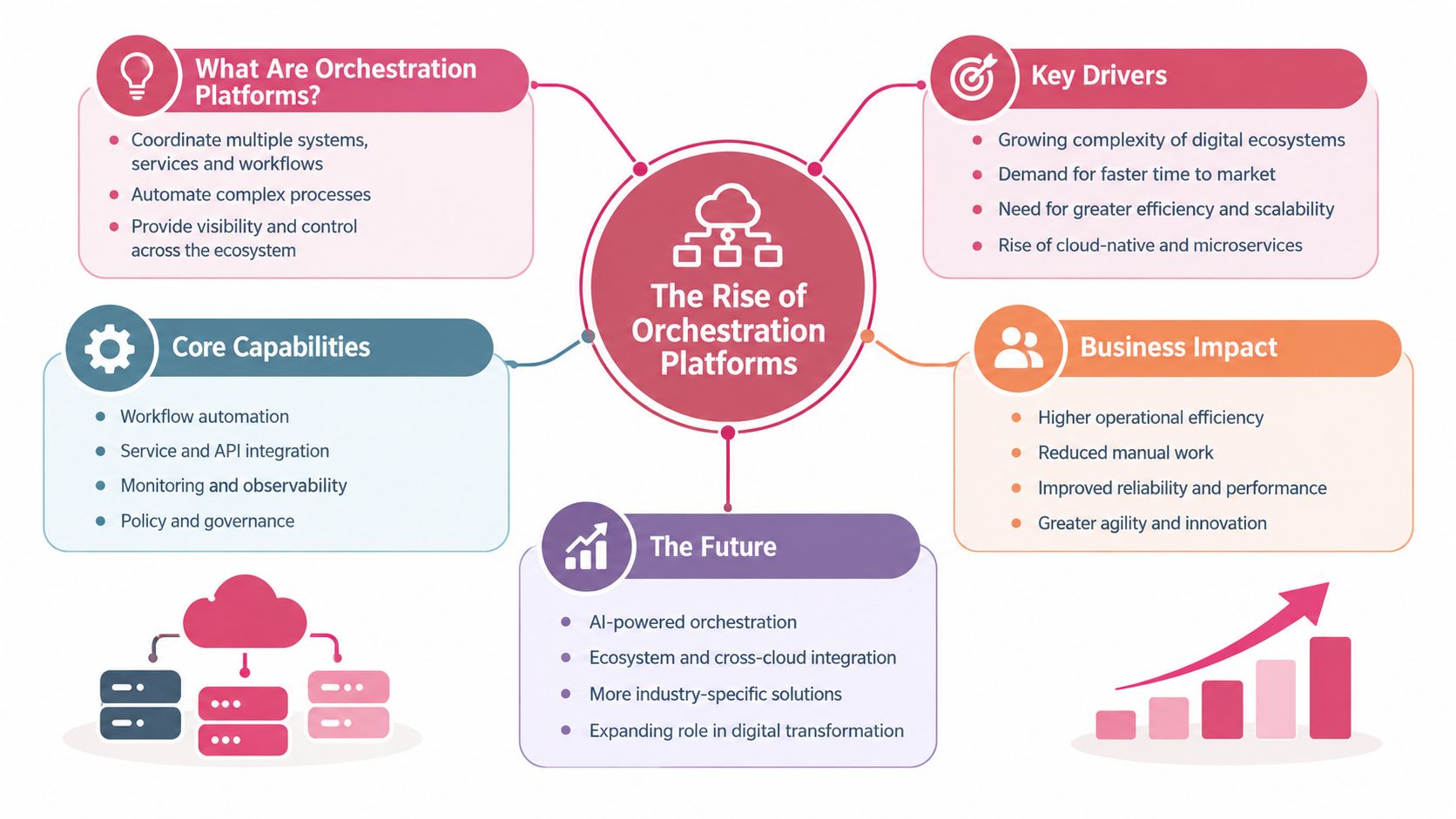
The next useful CRM category is not another label for a database. It is the orchestration layer, a control plane that coordinates data, applications, automated workflows, AI agents, and human decisions.
A traditional CRM waits for a user to open a record and perform an action. An orchestration platform can respond to an event, gather context from several systems, apply a policy, produce a recommendation or draft, request approval, execute the approved action, and write the result back to the system of record.
How the layer works
A unified API gives the orchestration layer a consistent way to call enrichment providers, sequencing tools, email, chat, billing, support, CRM, and reasoning models. The layer doesn't need to replace every application. It needs to coordinate their roles and normalize the information moving between them.
A typical account workflow might look like this:
- A new account enters the system through a form, import, referral, or intent signal.
- The orchestration layer checks for an existing account and resolves duplicates.
- An enrichment service supplies missing firmographic or contact information.
- A scoring function compares the account with the defined ICP.
- A reasoning model prepares a research summary and drafts an appropriate message.
- A human reviews the recommendation when the action is sensitive or uncertain.
- A sequencing tool sends the approved outreach through the selected channel.
- Replies are classified and routed to the correct owner.
- The CRM receives the approved activity, status, and next action.
- The outcome becomes usable knowledge for future plays.
This process is different from adding more buttons to a CRM. It composes small capabilities around a goal. The goal might be to qualify an account, reopen a quiet opportunity, or prepare a campaign. The system selects the necessary skills instead of making an operator manually assemble each step.
For a broader explanation of how these systems coordinate tools and agents, see what AI orchestration means for business workflows.
Where orchestration creates value
Orchestration is useful when a workflow crosses system boundaries. It reduces the need for an operator to copy an email address from an enrichment tool, paste it into a CRM, open a sequencing platform, and then return to the CRM to log the result. It also makes policy enforceable. For example, an organization can require approval before external outreach, prevent an agent from editing protected fields, or stop a sequence when a support issue is active.
The same design applies outside revenue work. Teams evaluating how to automate finance workflows with Loopfour can apply the same principles to approvals, system coordination, and controlled movement of data.
The architecture only works when it includes observability. Every agent needs a scoped permission set. Every automated action needs a log. Every external message needs a clear owner and approval rule. If the system can't explain why it took an action, the organization won't be able to improve the workflow or investigate a failure.
The practical standard is simple: automation should remove repetitive preparation and follow through, while people retain control over strategy, exceptions, and sensitive decisions.
Deployment Models and Data Control
Deployment determines who controls the runtime, data paths, credentials, and operational evidence behind a CRM. Hosted software usually delivers faster implementation and managed maintenance. Self-managed infrastructure gives the buyer more authority over storage location, network boundaries, access policies, and audit procedures. The correct model depends on the sensitivity of the data and how much operational responsibility the organization can carry.
Cloud CRM is now the common commercial choice, but adoption does not settle the governance question. A hosted CRM can simplify access for distributed teams while placing customer records, prompts, credentials, logs, and workflow state on infrastructure the buyer does not operate. That arrangement can work well, provided the contract and product configuration answer practical questions about retention, subprocessors, access controls, export, incident response, and service availability.
Hosted software
Hosted deployment is often the fastest way to put a usable CRM into production. The vendor manages infrastructure, upgrades, availability, and much of the security surface. Administrators can provision users and connect standard applications without building the runtime, patching servers, or designing recovery procedures from scratch.
The tradeoff is reduced control over the execution environment. Operations leaders need to confirm where data is processed and stored, which vendor personnel or subprocessors can access it, how long logs remain available, and whether deleted records are actually removed from downstream systems. AI features add another review point: determine whether prompts, retrieved records, and generated outputs are retained or used outside the requested workflow.
Self-managed infrastructure
Self-managed deployment shifts more work to the buyer. The team owns updates, identity management, backups, monitoring, incident response, and recovery testing. That responsibility can be justified when the organization has strict residency rules, sensitive customer information, internal security standards, or a requirement to keep secrets and execution data inside infrastructure it controls.
Self-managed does not require an isolated system. REST interfaces, webhooks, exports, and file systems can connect the CRM with existing tools while the buyer keeps the core workflow, credentials, and approval boundaries under its control. The tradeoff is implementation effort. Every custom connector becomes a component the team must document, secure, monitor, and maintain.
| Dimension | Hosted Software | Self-Managed Infrastructure |
|---|---|---|
| Setup speed | Faster deployment through vendor-managed infrastructure | Requires environment preparation and operational ownership |
| Maintenance | Vendor manages platform updates and much of the infrastructure | Buyer manages updates, monitoring, backups, and recovery |
| Data control | Governed by vendor policies, contracts, and configuration | Buyer controls storage location, access, and retention |
| Integration | Ready-made connectors and managed APIs are common | Custom connections provide flexibility with more responsibility |
| Customization | Limited to vendor features and extension points | Better suited to specialized workflows and internal policies |
| Auditability | Relies on vendor logs and available export functions | Can align logs directly with internal audit requirements |
| Lock-in risk | Can rise as data and processes depend on vendor services | Can fall when interfaces and runbooks remain portable |
| Best fit | Teams prioritizing speed and standard processes | Teams prioritizing control, residency, and customization |
A CRM integration that exposes structured Salesforce access can help operations teams connect records and approved actions without depending on manual exports, as shown by this Salesforce MCP integration. The deployment choice still determines where those actions execute, which credentials they can use, and how the organization reviews their history.
Make the decision explicit
Choose hosted software when the data fits the vendor's controls, workflows are relatively standard, and rapid rollout matters more than infrastructure ownership. Choose self-managed infrastructure when the organization must control credentials, data location, execution logs, or network access.
Portability deserves a separate review. Ask whether workflows can be exported, whether records can be retrieved in a usable format, whether another provider can replace a service through stable interfaces, and whether human approvals remain available outside the vendor's interface. A system that works only inside one provider's console creates operational risk even when the initial deployment is efficient.
One European adoption estimate places enterprise CRM usage at about 28.51% in 2025, with growth from 2023, according to this collection of CRM statistics and market context. That context indicates that adoption barriers remain outside the most mature markets. For many organizations, the problem is not recognizing the value of CRM. It is selecting a deployment and integration model that matches governance requirements without making daily operations unmanageable.
Evaluating Your Workflow Bottlenecks
A new CRM won't fix a workflow nobody has mapped. Before comparing vendors, revenue operations should measure where people lose time and where customer state becomes unreliable.
Start with one motion, such as inbound qualification, outbound prospecting, renewal management, or support handoff. Follow a real record from trigger to outcome. Don't rely on the process document. Observe what operators do, including spreadsheet work, browser tabs, private notes, and manual reminders.
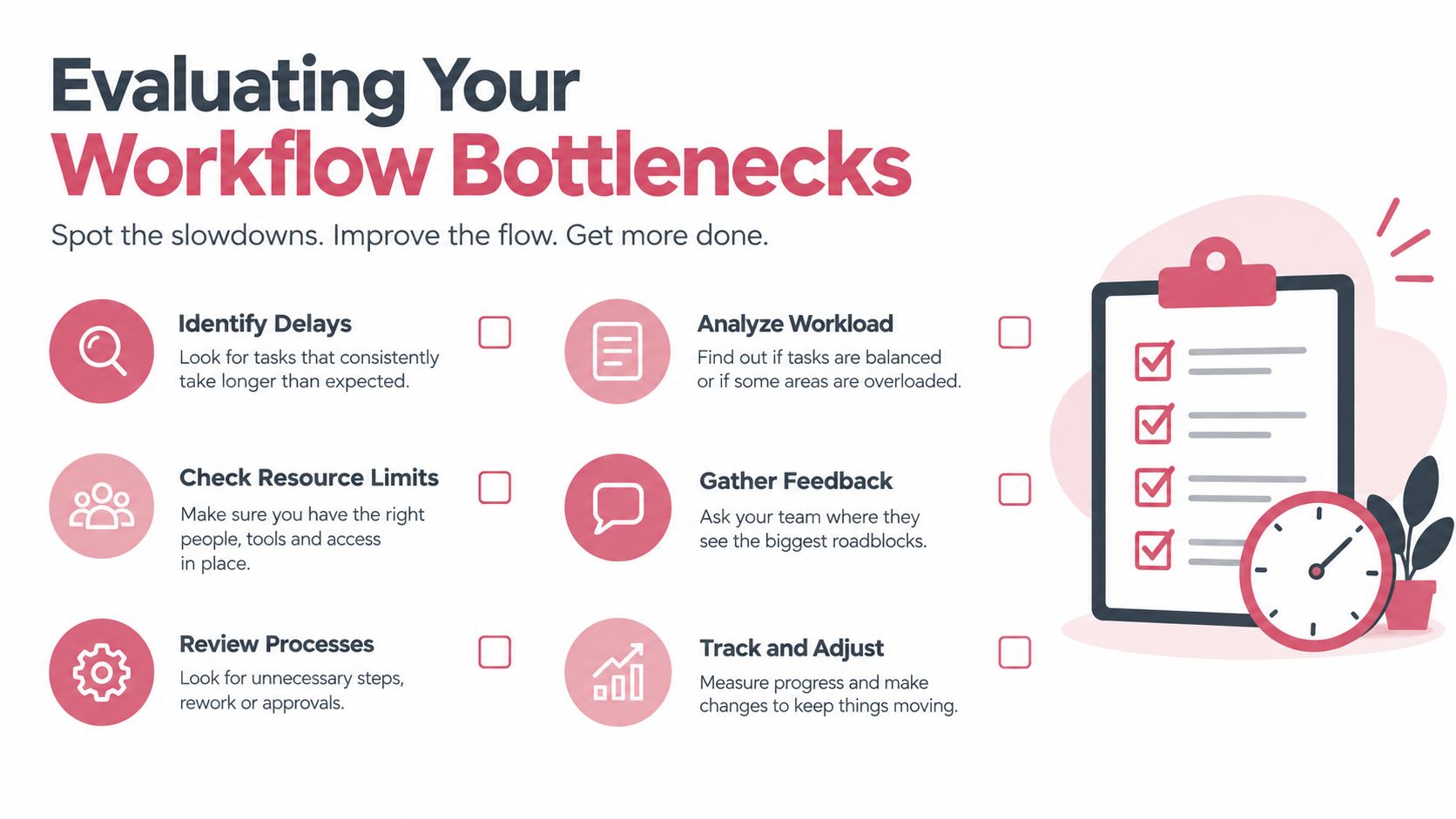
Use a six step audit
Choose a representative workflow: Select a process that affects revenue and occurs often enough for patterns to appear. Include both successful and failed examples.
Record every handoff: Note when a person moves information from email, LinkedIn, a data provider, a spreadsheet, a CRM, support software, or a messaging channel into another system.
Separate selling from preparation: Track time spent researching, enriching, entering data, drafting messages, checking duplicates, updating stages, and preparing reports. Compare that with time spent in customer conversations and decisions.
Find the waiting points: Identify approvals, missing fields, unclear ownership, delayed notifications, and systems that don't expose the event another workflow needs.
Test data quality at the destination: Check whether the final CRM record contains the source, timestamp, owner, action, outcome, and next step. A completed task isn't proof that the record is useful.
Define the desired control: State which steps should be automatic, which require review, which system owns the result, and what should happen when a rule fails.
Signals that the system has outgrown its role
A basic system of record may be enough when the team has a simple motion, a small tool set, and clear manual ownership. An orchestration layer becomes more relevant when one workflow repeatedly crosses several applications or when operators spend more time preparing actions than making decisions.
Look for these signals:
- Repeated data entry: People enter the same account, contact, or activity in multiple systems.
- Stale pipeline state: The CRM reflects the last administrative update rather than the latest customer event.
- Manual research queues: Representatives wait for someone to gather firmographic, contact, or account context.
- Uncontrolled personalization: Each operator creates a different research and messaging process.
- Approval gaps: Sensitive outreach or data changes happen without a consistent review path.
- Weak learning loops: Campaign results are reported, but the successful or failed play doesn't change future execution.
Test workflows, not demos
A vendor demo usually shows a clean record and a successful path. Ask the vendor to demonstrate a duplicate account, a missing enrichment value, a rejected approval, an unsubscribe, a reply that changes buying intent, and an API failure. The system should show how it preserves state, alerts an owner, retries safely, and avoids sending an incorrect message.
Build a small evaluation with real process requirements. Require each candidate to create a record, call an external tool, request approval, update the CRM, and produce an audit log. The winning architecture is the one that makes the workflow dependable without hiding complexity inside manual work.
Quick Reference Selection Guide
Use the classic CRM types as a starting vocabulary, then select the architecture that matches the work.
| Business need | Suitable architecture | What to verify |
|---|---|---|
| Daily lead, opportunity, case, and activity management | Operational CRM | Reliable ownership, stage rules, activity capture, and user adoption |
| Segmentation, forecasting, reporting, and prioritization | Analytical CRM with a dedicated data layer | Source definitions, refresh rules, metric ownership, and usable outputs |
| Shared account history across marketing, sales, service, and success | Collaborative CRM | Identity resolution, permissions, channel visibility, and handoff rules |
| Several tools must execute one revenue workflow | CRM with an orchestration layer | API coverage, event triggers, approvals, retries, and write back controls |
| Sensitive data or strict governance requirements | Self managed or carefully governed hosted deployment | Residency, credential control, retention, audit logs, and export paths |
| Simple process with limited system complexity | Operational CRM with focused integrations | Setup effort, workflow fit, and avoidance of unused features |
A short glossary for the buying team
- System of record: The authoritative location for operational customer state.
- Operational CRM: A platform focused on executing sales, marketing, and service activities.
- Analytical CRM: A system focused on interpreting interaction data and supporting decisions.
- Collaborative CRM: A model that shares relevant customer context across teams and channels.
- Orchestration layer: The control plane that coordinates tools, workflows, agents, data, and approvals.
- Human in the loop: A design where a person reviews or authorizes actions that require judgment or carry risk.
- Data control: The organization's ability to govern storage, access, movement, retention, and changes.
- Integration readiness: The ability to connect systems through supported interfaces without fragile manual work.
The practical conclusion is that there isn't one universally correct CRM type. A founder with a simple sales motion may need a dependable operational system. A mature revenue organization may need operational and analytical layers connected by collaborative data rules and an orchestration layer. The selection should follow the workflow, not the taxonomy.
Yalc provides an AI GTM operating layer that connects CRM records, enrichment, sequencing, reasoning, approvals, and reporting through a unified interface, with workflows that can run from Slack, its UI, or an MCP in Claude Code. Visit Yalc to evaluate an architecture that keeps your data and keys under your control while turning approved GTM plays into auditable execution.